May 2026 marks a pivotal moment for WordPress developers as the platform approaches the release of WordPress 7.0. This update comes with a host of new developer-facing features, significant Gutenberg enhancements, and changes that will shape how themes and plugins interact with the editor and core APIs. The release candidate 3 (RC3) is available now, signaling that testing and compatibility checks should be a priority ahead of the official launch on May 20, 2026.
Key Takeaways
- WordPress 7.0 release delayed to May 20; RC3 invites urgent plugin and theme testing.
- Real-time collaboration postponed due to technical challenges; remains a future priority.
- New Content Types system begins shaping long-awaited content management improvements.
- Revisions panel extended to templates, template parts, and patterns enhances version control.
- Introduction of new
@wordpress/gridpackage provides standardized grid UI tools for developers.
WordPress 7.0 Release Schedule and Real-Time Collaboration Delay
The WordPress 7.0 release cycle experienced a strategic extension from April to May 20, 2026, primarily to accommodate additional architectural work aimed at improving the system’s foundation. The availability of RC3 signals that the release is nearing completion, but it is critical for developers to test their plugins and themes against this candidate to identify and resolve compatibility issues before the final launch.
One of the highest-profile features initially slated for WordPress 7.0, real-time collaboration (RTC), has been removed from the release. The decision followed persistent technical challenges, including race conditions, concerns about server load and memory efficiency, and issues uncovered through fuzz testing. Although RTC will not debut in this major release, the WordPress team has reiterated its commitment to this feature, with ongoing development planned for a future update.
Emerging Content Types System: A Long-Awaited Core Enhancement
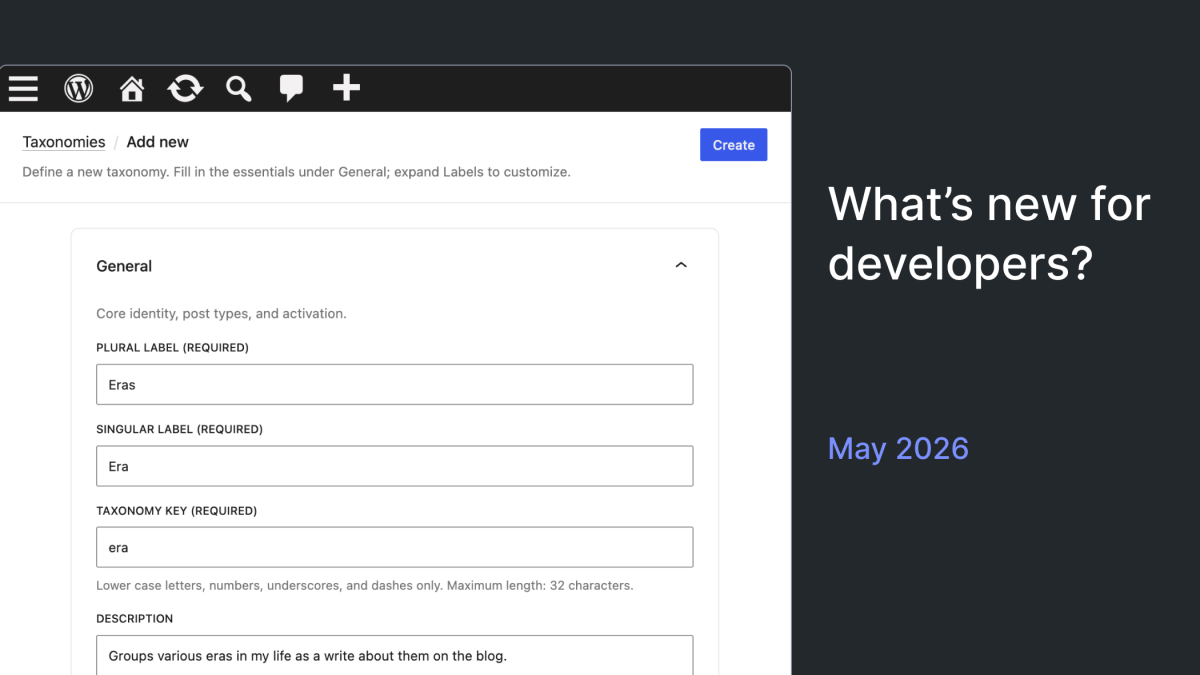
Among the most ambitious projects underway is the Content Types experiment, which aims to introduce a native content type management system within WordPress core. This initiative addresses a longstanding limitation dating back to the introduction of custom post types in WordPress 3.0. The new system promises more flexible and structured content modeling capabilities, which could fundamentally change how developers and site owners architect their content.
Currently in early development, the Content Types system is worth monitoring closely. It represents a longer-term direction for WordPress, promising to enhance the platform’s ability to handle complex content scenarios without relying solely on custom post types or external plugins. Interested developers can track progress and participate via the official tracking issue linked in the Developer Blog.
Revisions Panel Expanded to Templates, Template Parts, and Patterns
Version control has been improved by extending the revisions panel functionality beyond posts and pages to include templates, template parts, and patterns. This enhancement significantly benefits developers and site builders managing complex site architectures, allowing them to track changes, compare versions, and restore previous states with greater ease.
Aligning these editor entities with the post revisions experience simplifies workflows and reduces the risk associated with template modifications. In practice, this means that editing site structures is now safer and more transparent, which is especially important for teams collaborating on design and layout.
Introducing the @wordpress/grid Package for Consistent Grid Interfaces
The new @wordpress/grid package has been added to the Gutenberg project to provide a standardized, reusable set of tools for building grid-based user interfaces within WordPress. This package addresses a common need among plugin and theme developers who require consistent grid layouts in their custom interfaces and editor extensions.
By adopting this package, developers can reduce redundancy and ensure UI consistency across the ecosystem. As it matures, it may become the preferred method for implementing grid layouts, replacing ad hoc CSS grids or third-party libraries in many cases.
Guidelines CPT Renamed and Refined for Editorial Workflows
The Guidelines custom post type (CPT), previously known as “content guidelines,” has undergone a renaming and refinement process. Now simply called “Guidelines,” it features an updated slug, class names, and routes. Additionally, it has been made type-aware, meaning it adjusts its behavior based on the context in which it is used.
This CPT is part of a broader editorial workflow and content governance experiment. Updates include improved revision UX, the addition of a new wp_guideline_type taxonomy, and a dedicated REST API route. These changes provide developers building editorial tools with more robust APIs and better integration options, particularly for managing content policies and workflows.
REST API and Widget Management Enhancements
Several REST API improvements have been introduced, notably the addition of a date field to the Templates and Template Parts endpoints. This seemingly minor update enables better sorting and filtering when querying these endpoints, aiding developers managing complex site templates programmatically.
In the Widgets module, a new widget-types data layer aligns widget management with the broader data patterns used in Gutenberg. This change simplifies programmatic interaction with widgets and paves the way for future enhancements in widget UI and data handling.
Capability-Based Restrictions on Per-Block Custom CSS
To improve security and workflow consistency, WordPress now strips per-block custom CSS from users who lack the edit_css capability upon saving. This ensures that contributors or users with restricted roles cannot inadvertently save custom styles that they are not authorized to manage.
This update harmonizes per-block CSS handling with the existing custom CSS permission model. For agencies and multi-author sites, this reduces the risk of unauthorized style changes affecting the site’s appearance.
Media Handling and Internationalization Updates
Addressing media upload consistency, HEIC images (commonly produced by Apple devices) now convert to JPEG files with the correct .jpg extension during client-side conversion. This fix prevents confusion and potential compatibility issues stemming from improper file extensions.
For internationalization (i18n), a new polyfill ensures that script module translations load correctly on sites running WordPress versions earlier than 7.0. This broadens backward compatibility for plugin developers distributing code that uses modern module scripts and translations without requiring users to upgrade immediately.
Theme and Block Improvements Affecting Layout and Styling
The Tabs block, which remains experimental and must be enabled via the Gutenberg plugin’s Experiments settings, has received usability and stylistic improvements. Additionally, the Site Identity feature has been integrated into the Design panel, streamlining branding controls for themes.
Several styling fixes were applied to the Search and Accordion blocks, including dimension controls and alignment options that give developers and designers finer control over block presentation. Moreover, fixes to Layout and Global Styles contribute to more consistent theme behavior across different environments.
In practice, these theme and block updates will help developers produce more polished and adaptable layouts while maintaining compatibility with the evolving block editor ecosystem.
Testing and Development Recommendations
Developers should be running WordPress trunk and the latest Gutenberg plugin to test these new features effectively. The official Playground environment also provides a convenient platform for experimentation. Testing now is crucial to ensure compatibility ahead of the WordPress 7.0 launch.
With the postponement of real-time collaboration and the introduction of foundational features like the Content Types system, the upcoming release balances immediate improvements with groundwork for future innovation.
What This Means for WordPress Users
For most WordPress site operators and developers, the upcoming WordPress 7.0 release represents a blend of stability improvements and early-stage innovations. While the absence of real-time collaboration might disappoint some teams seeking seamless multi-user editing, the decision reflects a prudent approach to quality and performance.
The expansion of revision capabilities to templates and patterns is a significant usability win, especially for agencies managing complex client sites. This change reduces the risk of site-breaking edits and supports more confident iteration on design elements.
The Content Types system, while still experimental, signals WordPress’s intention to evolve beyond the limitations of the traditional post-type model. Developers should begin familiarizing themselves with this new approach, as it may soon influence how content is structured and delivered.
Additionally, the new @wordpress/grid package and REST API enhancements indicate a maturing development environment aimed at consistency and extensibility. Plugin and theme authors can expect more streamlined workflows and standardized tools in the near future.
Overall, preparing for WordPress 7.0 involves thorough testing and an eye on emerging features that will shape development practices going forward. Agencies and freelancers should prioritize compatibility checks and consider updating documentation and workflows to accommodate these changes.
Frequently Asked Questions
Why was real-time collaboration removed from WordPress 7.0?
Real-time collaboration was removed due to unresolved technical issues such as race conditions, server load concerns, and memory inefficiencies identified through fuzz testing. The feature remains a priority but requires further development before it can be safely included.
What is the new Content Types system and why does it matter?
The Content Types system is an experimental core feature aiming to provide native, flexible content modeling beyond traditional post types. It addresses long-standing requests for better content management and could change how developers structure content in WordPress.
How does the revisions panel expansion affect theme and site editing?
Extending revisions to templates, template parts, and patterns allows developers and site builders to track changes and revert to earlier versions, making site architecture edits safer and more manageable.
What should developers do to prepare for WordPress 7.0?
Developers should test all plugins and themes against the latest release candidate (RC3), experiment with new features on WordPress trunk and the Gutenberg plugin, and adjust workflows to account for changes like capability-based CSS restrictions and updated REST API endpoints.
Will the new @wordpress/grid package replace existing layout tools?
The @wordpress/grid package is designed to provide a standardized grid system for building interfaces but will likely coexist with other layout tools as it matures. Developers are encouraged to explore it for consistent grid layouts in plugin and editor UI development.