Gutenberg 23.1 was released on May 7, bringing several noteworthy improvements and experiments that further enhance content editing and developer experience for WordPress users. This update focuses on speeding up media uploads, introducing UI experiments for taxonomy management and image editing, and adding new foundational components to the WordPress UI library.
Key Takeaways
- Gutenberg 23.1 speeds up image upload completion by running thumbnail sideloads in parallel.
- New experimental Custom Taxonomies management screen enables UI-based creation and editing without PHP.
- The Media Editor experiment introduces a freeform cropper accessible directly in the block toolbar.
- @wordpress/ui package gains Drawer and Autocomplete primitives with overlay polish for better UI consistency.
- Real-time collaboration fixes improve reliability, addressing sync issues and connection loss dialogs.
Parallel Image Uploads Speed Up Media Handling
One of the most impactful performance improvements in Gutenberg 23.1 is the parallelization of sideload requests for image thumbnails. Previously, when uploading images, the generated thumbnail sizes were processed sequentially, which slowed down the overall upload completion, especially when handling bulk uploads or large images on slower connections.
Now, thumbnail sideloads run concurrently up to the existing concurrency limit, significantly reducing wait times when bulk uploading via the Gallery block or similar workflows. This optimization reflects a deeper understanding of browser network capabilities and server concurrency, ultimately improving media handling in real-world editing scenarios.
Experimental Custom Taxonomies Management UI
Gutenberg 23.1 introduces an experimental feature that empowers site administrators to create, edit, activate, deactivate, and delete custom taxonomies through a dedicated admin screen. This UI-based management removes the need for writing PHP code to register taxonomies, lowering the technical barrier for content structure customization.
To try this experiment, users must enable “Content types: manage custom taxonomies” in Gutenberg’s Experiments settings, then navigate to Settings > Taxonomies. This feature aligns with WordPress’s broader goal of making site customization more accessible without code, although developers should note it is still experimental and not yet recommended for production use.
New Media Editor Modal with Freeform Crop Tool
Another experimental feature in this release is a new Image Editor modal directly accessible from the block toolbar for Image and Site Logo blocks. The modal includes a freeform cropper, allowing users more flexible and intuitive image manipulation without leaving the editor interface.
Activating this requires enabling the Media Editor Modal experiment in the Gutenberg settings. This addition reflects user demand for more integrated image editing tools and a smoother workflow, reducing reliance on external editors or multiple plugins.
Enhanced @wordpress/ui Package: Drawer and Autocomplete Primitives
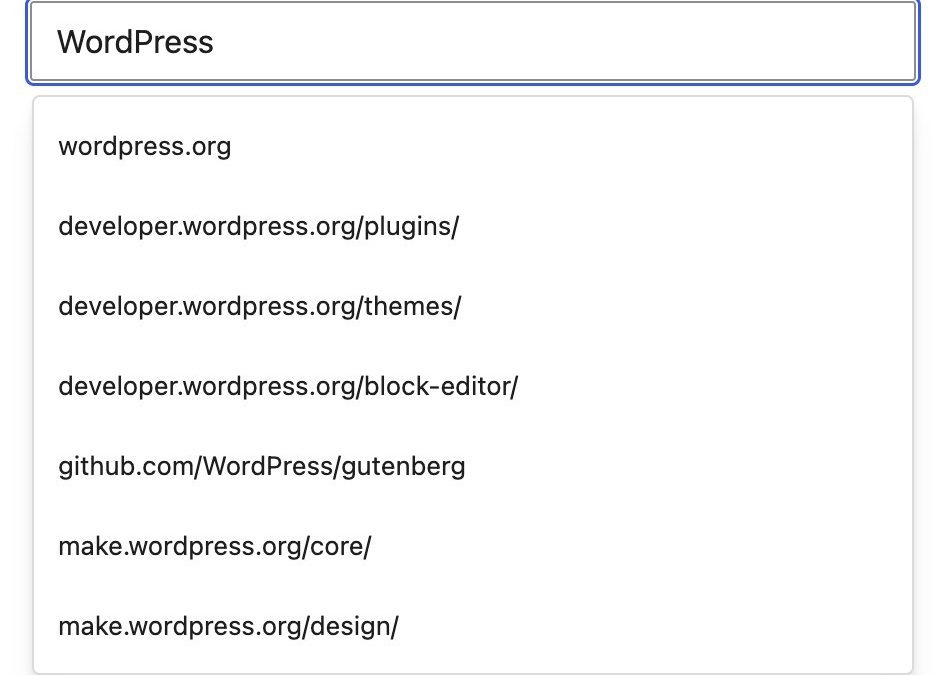
From a developer perspective, Gutenberg 23.1 expands the @wordpress/ui package with two new compound primitives: Drawer and Autocomplete. Drawer enables slide-in side panels and bottom sheets, common UI patterns for overlays and settings. Autocomplete provides low-level support for combobox-style inputs, which can be used in search fields, tagging interfaces, or anywhere predictive text input is needed.
Along with these new primitives, several overlay components received polish for improved consistency and accessibility. The Dialog component now includes a Description subcomponent and supports sticky headers and footers for better scroll behavior. Also, overlays like Dialog, AlertDialog, and Drawer have enhanced backdrop behavior and support portal customization, allowing developers more control over rendering layers.
Real-Time Collaboration Reliability Improvements
Gutenberg’s real-time collaboration (RTC) feature saw multiple fixes aimed at improving connection stability and document synchronization. Key issues addressed include preventing the “Connection Lost” dialog from appearing unnecessarily, fixing client-server size mismatches that could reject large Yjs updates, and avoiding divergent document states when offline users reconnect simultaneously.
Additionally, observers now attach after the persisted CRDT document hydrates, reducing redundant block parsing during editor load. These fixes improve the robustness of collaborative editing, which is critical as more teams rely on WordPress for simultaneous content creation.
Additional Highlights and Developer Updates
Other notable changes in Gutenberg 23.1 include the removal of the Classic block from the inserter, controlled by a new filter to maintain backward compatibility. The new @wordpress/grid package debuted in developer preview, introducing DashboardGrid, a flexible grid component with drag-and-drop reorder and resize capabilities for dashboard interfaces.
Performance optimizations, accessibility tweaks, and bug fixes span multiple areas including the block editor, admin UI, and data management. These incremental updates continue the project’s steady approach to improving the WordPress editing experience both for users and developers.
For context, our previous Core updates coverage tracks Gutenberg’s evolving feature set and its impact on WordPress site operators and developers.
What This Means for WordPress Users
For most WordPress site owners, Gutenberg 23.1 brings tangible improvements in media upload speed and image editing convenience. The parallel thumbnail uploads mean less waiting during bulk media imports, which can enhance productivity for content-heavy sites. The experimental Media Editor promises a future where image tweaks happen seamlessly inside the editor, reducing friction for non-technical users.
Administrators interested in customizing content structures should watch the custom taxonomies experiment closely. While not yet production-ready, it signals a move toward lower-code site architecture management, which could democratize taxonomy creation beyond developers. Agencies and plugin developers should test these features and prepare for eventual integration into standard workflows.
Developers benefit from the new UI primitives and overlay improvements, which provide building blocks for richer, more consistent plugin interfaces. The @wordpress/ui package enhancements reflect a maturing design system aimed at standardizing experiences across WordPress and Gutenberg-based tools.
The real-time collaboration fixes reduce potential frustrations in multi-user editing environments, making concurrent content work more stable and reliable. This is critical as WordPress targets increased adoption in team and enterprise contexts.
Frequently Asked Questions
How do I enable the new Custom Taxonomies management screen?
Enable the experiment by going to Gutenberg > Experiments in your WordPress admin and activating “Content types: manage custom taxonomies.” Then visit Settings > Taxonomies to access the new UI.
Is the Media Editor with freeform crop ready for production use?
No, the Media Editor modal with freeform cropper is currently experimental. It’s recommended for testing and feedback but not for critical production sites yet.
What benefits do the new @wordpress/ui primitives provide developers?
The Drawer and Autocomplete primitives enable developers to build standardized slide-in panels and combobox inputs, improving UI consistency and accessibility across plugins and the WordPress admin.
Why was the Classic block removed from the inserter?
Removing the Classic block from the inserter aims to encourage use of modern blocks, but existing Classic blocks remain functional. A filter is available for developers to control this behavior.