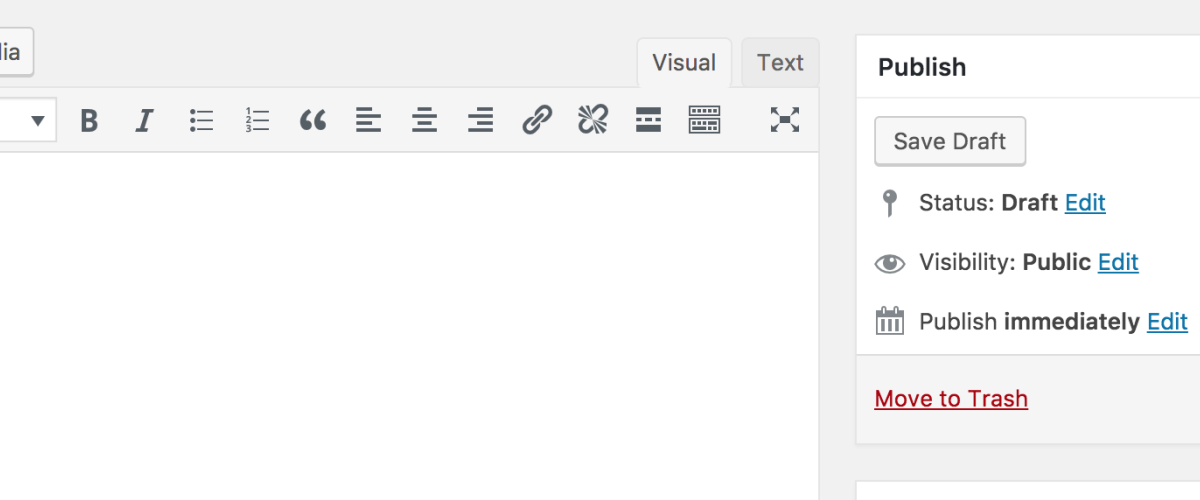
Classic Editor is a WordPress plugin designed to restore the traditional WordPress editor experience, pre-Gutenberg. It remains a favorite for users who prefer simplicity and familiarity over the block-based editing style introduced in WordPress 5.0. While its current version is unknown, the plugin continues to be widely used and appreciated for its straightforward functionality.
What Is Classic Editor?
Classic Editor was introduced as an official solution by the WordPress team to accommodate users who struggled to adapt to the block editor (Gutenberg). With over 5 million active installations, it’s clear that the plugin has struck a chord with WordPress users who favor the older editing interface for its simplicity and ease of use.
This plugin is particularly suitable for bloggers, small businesses, and anyone who needs a no-frills text editor for their content creation. For developers and agencies managing legacy WordPress projects, Classic Editor can simplify workflows where compatibility with the block editor isn’t a priority.
Key Features
- ✓ <strongRestores Pre-Gutenberg Editor: Brings back the classic WordPress editor interface, ideal for users who prefer traditional tools.
- ✓ <strongDisables Block Editor: Optionally disables the block editor entirely for a consistent editing experience.
- ✓ <strongFull Compatibility: Works seamlessly with most WordPress themes and plugins without additional configuration.
- ✓ <strongSimple Interface: Ideal for distraction-free writing and editing with no unnecessary features.
- ✓ <strongLightweight: The plugin is minimalistic and doesn’t introduce noticeable bloat or performance issues.
- ✓ <strongOfficial Support: Developed and maintained by the WordPress team, ensuring longevity and reliability.
Pricing
Classic Editor is freely available on the WordPress plugin directory. For current pricing or additional premium features (if applicable), visit the official site.
Pros and Cons
- ✓ Reliable and lightweight — does exactly what it promises.
- ✓ Perfect for users who prefer the traditional WordPress editor.
- ✓ Seamless compatibility with themes and plugins.
- ✓ Maintained by WordPress, ensuring long-term support.
- ✗ Lack of advanced features compared to Gutenberg.
- ✗ No customization options for extending functionality.
- ✗ Might not be future-proof as WordPress continues to focus on Gutenberg development.
Who Is It Best For?
Classic Editor is best suited for bloggers, small businesses, and anyone who prefers simplicity in their content creation process. Developers and agencies may find it useful for maintaining legacy projects or websites where the block editor isn’t ideal. However, for users seeking advanced features or modern editing workflows, Gutenberg may be a better fit.
Verdict
In 2026, Classic Editor remains a solid choice for those who favor simplicity and the traditional WordPress editing experience. While it lacks the advanced features of Gutenberg, its reliability and ease of use make it a compelling option for many users. If you’re not a fan of the block editor or need a distraction-free interface, this plugin is worth keeping installed.
That said, WordPress’s ongoing focus on Gutenberg development means users should consider long-term compatibility and whether sticking to the Classic Editor aligns with their future needs.
Key Takeaways
- Classic Editor restores the pre-Gutenberg WordPress editing experience.
- Highly rated for simplicity and reliability, with a 4.9/5 star average.
- Lacks advanced features compared to the block editor.
- Ideal for legacy projects and users who prefer traditional workflows.
- Free to use, with official support from the WordPress team.