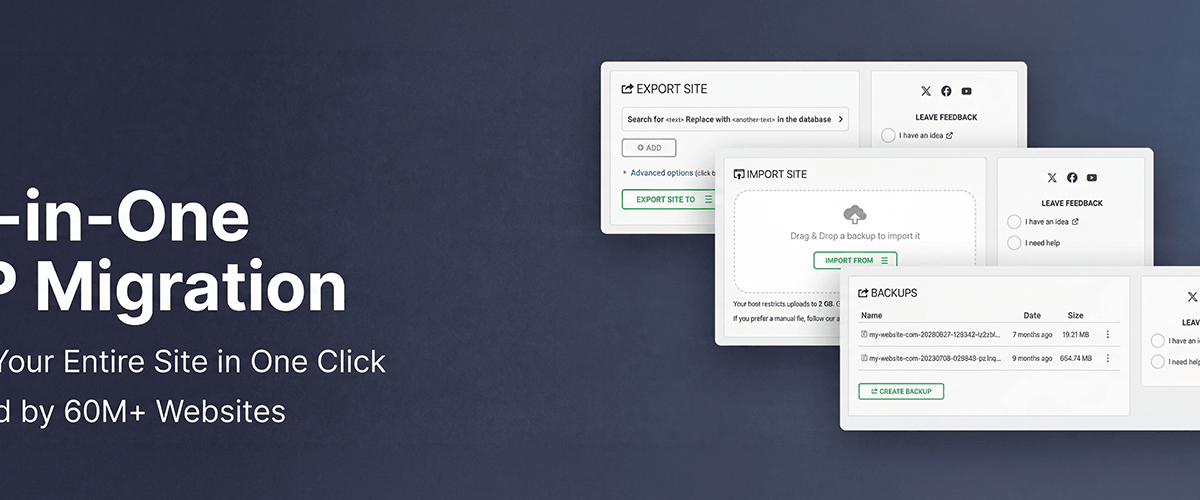
All-in-One WP Migration and Backup is a WordPress plugin designed to help users easily migrate and back up their websites. With over 7,600 ratings on WordPress.org and an average score of 4.5/5 stars, this plugin has gained significant traction among site owners, developers, and agencies. While the core plugin is free, many users find themselves needing pro extensions for larger or more complex migrations. Current version details are unavailable at this time.
What Is All-in-One WP Migration and Backup?
Developed by ServMask, All-in-One WP Migration and Backup entered the WordPress ecosystem to simplify the often frustrating process of website migration and backups. This plugin eliminates the need for manual database transfers or file uploads, making it accessible to beginners while offering enough flexibility for more experienced users.
The plugin’s free version caters well to basic sites and small projects, but its 300MB upload limit often pushes users toward premium upgrades. This limitation has led to mixed reviews, with some praising its ease of use and others expressing frustration at the paywall. For agencies and developers managing larger sites, the pro extensions are almost a necessity.
If you’re looking for a beginner-friendly migration tool with basic functionality, All-in-One WP Migration and Backup might be ideal. However, those managing larger websites or needing advanced features should prepare to pay for premium options.
Key Features
- ✓ One-Click Migration: Easily migrate your WordPress site between different servers or domains without manual intervention.
- ✓ Backup and Restore: Create backups of your site and restore them effortlessly when needed.
- ✓ Supports Over 50 Hosting Providers: Compatible with major hosting platforms for seamless migrations.
- ✓ Mobile-Friendly Interface: Manage migrations and backups directly from your mobile device.
- ✓ Multilingual Support: Available in multiple languages to accommodate international users.
- ✓ WordPress Multisite Support (Pro): Includes functionality for multisite networks, but requires a premium extension.
- ✓ Advanced File Exclusion: Choose which files or database tables to exclude during migration.
- ✓ Customizable Upload Limits (Pro): Overcome the 300MB upload restriction with paid upgrades.
Pricing
All-in-One WP Migration and Backup operates on a freemium model. The core plugin is available for free, but advanced features such as larger upload limits, multisite support, and additional extensions require premium purchases. Pricing starts from visit site for current pricing. Users frequently mention the need for these paid extensions, especially for larger websites.
Pros and Cons
- ✓ Beginner-friendly interface makes migration and backup simple.
- ✓ Reliable functionality for small sites under 300MB.
- ✓ Works seamlessly with major hosting providers.
- ✓ Pro extensions expand functionality for larger projects.
- ✗ Free version limited to 300MB upload size.
- ✗ Premium extensions are required for advanced features.
- ✗ Some users find the pricing structure unclear or frustrating.
Who Is It Best For?
All-in-One WP Migration and Backup is best suited for:
- Beginners: Its straightforward UI makes it perfect for users new to WordPress migration and backup tasks.
- Agencies: With pro extensions, it becomes a reliable tool for handling client projects and large-scale migrations.
- Developers: Advanced features like file exclusion and multisite support cater well to technical users.
- Budget Users: The free version is sufficient for small websites, but larger sites will need to invest in premium addons.
Verdict
All-in-One WP Migration and Backup is a solid choice for basic migrations and backups, but its free version may feel restrictive for users dealing with larger websites. The 300MB limit and paywall for vital functionality are consistent points of contention. However, its ease of use and reliability make it a go-to option for smaller projects or users willing to invest in premium features. In 2026, this plugin remains a contender in the migration space, but users should weigh their needs against its pricing model.
Key Takeaways
- Free version is great for small sites but has a 300MB limit.
- Premium extensions unlock advanced features like multisite support.
- Easy-to-use interface suitable for beginners.
- Pricing can be unclear; larger sites will likely need to pay.
- Reliable functionality for migrations and backups.