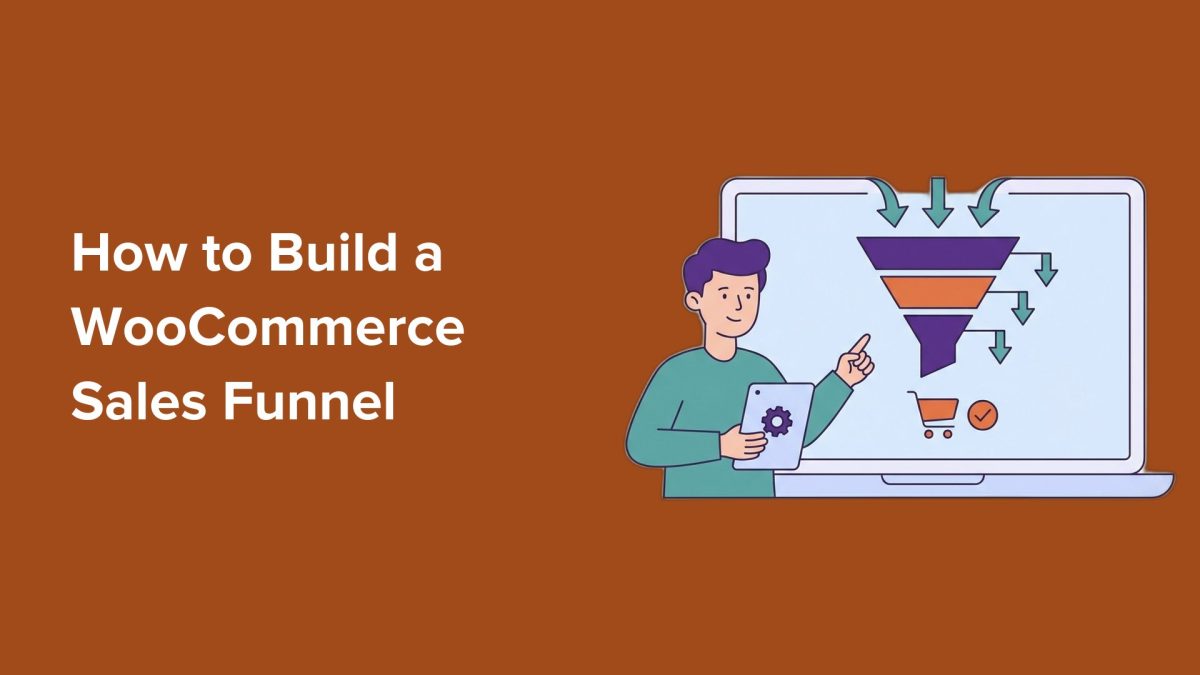
Many WooCommerce store owners focus heavily on bringing more traffic to their site, but increasing visitors alone won’t raise revenue if your sales funnel leaks customers along the way. The checkout process often loses potential buyers due to confusing landing pages, poor lead capture, and a lack of upsells or follow-up strategies. Fortunately, you can build a professional WooCommerce sales funnel that guides visitors smoothly from first awareness to repeat purchase, all without complex coding or expensive tools.
Key Takeaways
- A WooCommerce sales funnel guides visitors step-by-step from discovery to repeat buyer, improving conversion rates.
- Essential funnel components include a focused landing page, lead capture forms, upsell offers, optimized checkout, and post-purchase email sequences.
- Using plugins like SeedProd or FunnelKit simplifies funnel creation without coding experience.
- Optimizing your WooCommerce checkout for speed and trust reduces cart abandonment.
- Regularly measuring funnel performance and A/B testing are crucial for continuous improvement.
What Is a WooCommerce Sales Funnel?
A WooCommerce sales funnel is a structured, strategic pathway that turns casual visitors into paying customers and then into loyal buyers. Unlike hoping visitors buy on their first visit, a funnel actively guides them through stages: awareness, interest, decision, and retention. This mirrors a physical store experience where shoppers first notice products, evaluate options, then proceed to checkout, and finally return if satisfied.
Understanding these stages lets you design your store to eliminate guesswork and focus on conversion points. The four core stages are:
- Awareness: How customers discover your store via search engines, social media, ads, or content.
- Interest/Consideration: Visitors browse and evaluate products while building trust.
- Decision/Purchase: The checkout process where you remove friction and encourage purchase.
- Retention/Loyalty: Post-purchase efforts to turn buyers into repeat customers through email and rewards.
Set Up Your Store for Funnel Success: Checklist for Beginners
Before building your funnel, ensure your WooCommerce store has a solid foundation:
- Self-hosted WordPress: Full control over store customization and plugins.
- WooCommerce Installed: Core eCommerce functionality to manage products and checkout.
- Payment Gateway: Stripe or PayPal to accept secure payments smoothly.
- Funnel/Page Builder Plugin: Tools like SeedProd or FunnelKit to create landing pages and funnel steps easily.
- Email Marketing Service: For capturing leads and sending follow-up campaigns.
Tip: A fast-loading store keeps visitors engaged. Consider hosting providers optimized for WooCommerce to enhance speed and reliability.
Choosing the Right Funnel Plugin
Plugins like WooCommerce extensions SeedProd and FunnelKit offer beginner-friendly interfaces to build funnels without coding. They provide templates for high-converting landing pages, built-in optin forms, and upsell/downsell capabilities. These tools integrate with popular email marketing services, streamlining your workflow and data tracking.
Step 1: Create a High-Converting Landing Page
Your landing page is the first impression that directs visitors toward your key product or offer. Focus on a single clear call to action (CTA) and remove distractions like navigation menus. Use compelling headlines, product images, and trust signals such as reviews or guarantees.
Page builders like SeedProd allow you to design landing pages optimized for conversion with drag-and-drop ease. Ensure the page loads quickly and is mobile-friendly to accommodate all visitors.
Step 2: Set Up Lead Capture Optin Forms
Not all visitors buy immediately. Capture their email addresses with optin forms offering incentives such as discounts or free guides. This lets you nurture leads over time and increase chances of conversion.
Place optins strategically on landing pages, blog posts, or exit intent popups. Integrate them with your email marketing service to automate follow-up sequences.
What Happens After Someone Opts In?
Once a visitor submits their email, trigger a welcome email or a drip campaign that builds trust and educates about your products. This step is vital to warm leads before pushing them toward purchase.
Step 3: Add Upsells & Downsells
Upsells and downsells increase average order value by offering complementary or alternative products during or after checkout. For example, after someone adds a product, you can offer a premium version or related accessory at a discount.
Choose upsells carefully based on customer behavior and product relevance. Experiment with pre-purchase offers (shown before checkout) and post-purchase offers (shown after buying) to find what converts best.
Step 4: Optimize Checkout for Conversions
The checkout page is where most potential buyers abandon carts. Reduce friction by simplifying forms, minimizing required fields, and providing multiple payment options. Ensure your checkout page is secure with SSL and displays trust badges.
Consider plugins that streamline WooCommerce checkout flow and remove distractions. Display clear shipping costs and refund policies to reassure buyers.
Tip: Enable guest checkout to avoid forcing account creation, which can deter buyers.
Optional Advanced Tweaks to Optimize the WooCommerce Checkout
For stores with more traffic, advanced tweaks like one-click upsells, exit-intent offers, or cart abandonment popups can improve conversions. Integrations with tools like CartFlows or WooFunnels provide these features without custom coding.
Step 5: Build a Post-Purchase Email Sequence
Convert one-time buyers into repeat customers with automated post-purchase emails. Send order confirmation, shipping updates, and requests for reviews. Follow up with personalized product recommendations and exclusive discounts.
Also, send abandoned cart emails within 1 hour of cart abandonment, then follow up again in 24 hours and 3 days to recover lost sales. Timing and messaging are critical to effectiveness.
A Visual Summary of the WooCommerce Sales Funnel
Visualizing your funnel helps identify points for optimization. Track visitor flow from landing page to checkout, noting drop-off rates at each stage. Use Google Analytics and WooCommerce reports to gather data.
Measure Your WooCommerce Funnel Performance
Set key performance indicators (KPIs) such as landing page conversion rate, email opt-in rate, average order value, and checkout abandonment rate. Regular monitoring lets you pinpoint bottlenecks and test improvements.
How to A/B Test Your WooCommerce Funnel
Split testing different landing page headlines, CTA buttons, or checkout layouts reveals what resonates best with your audience. Plugins like Nelio A/B Testing or built-in features in SeedProd simplify this process.
Post-Launch 30-Day Optimization Plan for WooCommerce Funnel
- Week 1: Monitor funnel metrics and review heatmaps to understand visitor behavior.
- Week 2: Test alternative landing page designs and email subject lines.
- Week 3: Refine upsell offers based on sales data and customer feedback.
- Week 4: Optimize checkout speed and mobile experience.
What This Means for WordPress Users
Building a WooCommerce sales funnel is no longer the exclusive domain of enterprise marketers or developers. Thanks to plugins like SeedProd and FunnelKit, even small store owners can craft professional funnels that guide customers from discovery to repeat purchase in a few hours.
For WordPress developers and agencies, mastering funnel design adds a valuable skill set that can significantly improve client store performance. It shifts the focus from solely driving traffic to optimizing every step of the buyer journey.
Site owners should prioritize fixing funnel leaks—confusing landing pages, weak lead capture, poor upsell strategies, and complicated checkout flows. These optimizations often yield higher ROI than chasing more visitors.
Looking ahead, WooCommerce funnels will grow more personalized and data-driven, leveraging automation and AI-powered recommendations. Early adoption of these funnel best practices positions your WooCommerce store for sustainable growth in a competitive market.
Frequently Asked Questions
What are the best plugins to build a WooCommerce sales funnel?
SeedProd and FunnelKit are among the top plugins for creating WooCommerce sales funnels. They offer drag-and-drop landing page builders, lead capture integrations, and easy upsell/downsell features without requiring coding.
How can I reduce cart abandonment in WooCommerce?
Optimize checkout by simplifying forms, enabling guest checkout, displaying trust badges, and offering multiple payment methods. Follow up with abandoned cart emails timed within the first hour and subsequent reminders.
Do I need coding skills to build a WooCommerce sales funnel?
No. Many funnel builder plugins provide user-friendly interfaces that let you design funnels visually. This makes funnel creation accessible even for beginners.
How important is email marketing in a sales funnel?
Email marketing is critical for nurturing leads who aren’t ready to buy immediately and for encouraging repeat purchases after the first sale. Automated sequences help maintain engagement and boost lifetime customer value.