Security teams managing WordPress sites face constant pressure to stay ahead of emerging threats. Vulnerability scanners are essential tools in this battle, pinpointing weaknesses before attackers can exploit them. Choosing the right scanner tailored for WordPress environments can make the difference between a safe site and a costly breach.
Key Takeaways
- Top vulnerability scanners integrate WordPress-specific vulnerability databases and support authenticated scans.
- Accuracy and false positive reduction are crucial—look for tools with automated verification and expert-vetted results.
- Scanners that perform behind login or firewall provide deeper insights into plugin, theme, and core vulnerabilities.
- Speed varies widely; large WooCommerce or multisite installations require scanners optimized for complex environments.
Why Vulnerability Scanning Matters for WordPress Sites
WordPress powers over 40% of the web, making it a frequent target for hackers. Vulnerability scanning goes beyond generic IT security by identifying WordPress-specific issues like outdated plugins, misconfigured file permissions, and known exploits in popular themes. In practice, many breaches stem from vulnerabilities in third-party plugins or weak admin credentials that scanners can detect early.
Unlike general network scanners, WordPress-focused scanners often include authentication features, allowing deeper inspection of internal code and configurations. This approach uncovers hidden risks such as privilege escalation vulnerabilities or insecure REST API endpoints that external tools miss. For WooCommerce stores, detecting payment gateway or cart-related plugin vulnerabilities is critical to protecting customer data and revenue.
Key Factors to Consider When Choosing a WordPress Vulnerability Scanner
Not all vulnerability scanners are created equal. For WordPress professionals, here are four factors that make or break a scanner’s usefulness.
1. WordPress-Specific Scanning Coverage
Effective scanners must understand WordPress architecture and common plugin ecosystems. Scans should cover core files, plugins, themes, and user roles. Sites running 30+ plugins require tools that can scale without false positives overwhelming the security team. Scanners that support authenticated scans behind login improve accuracy by checking active plugin versions and custom configurations directly.
2. Depth and Quality of Vulnerability Database
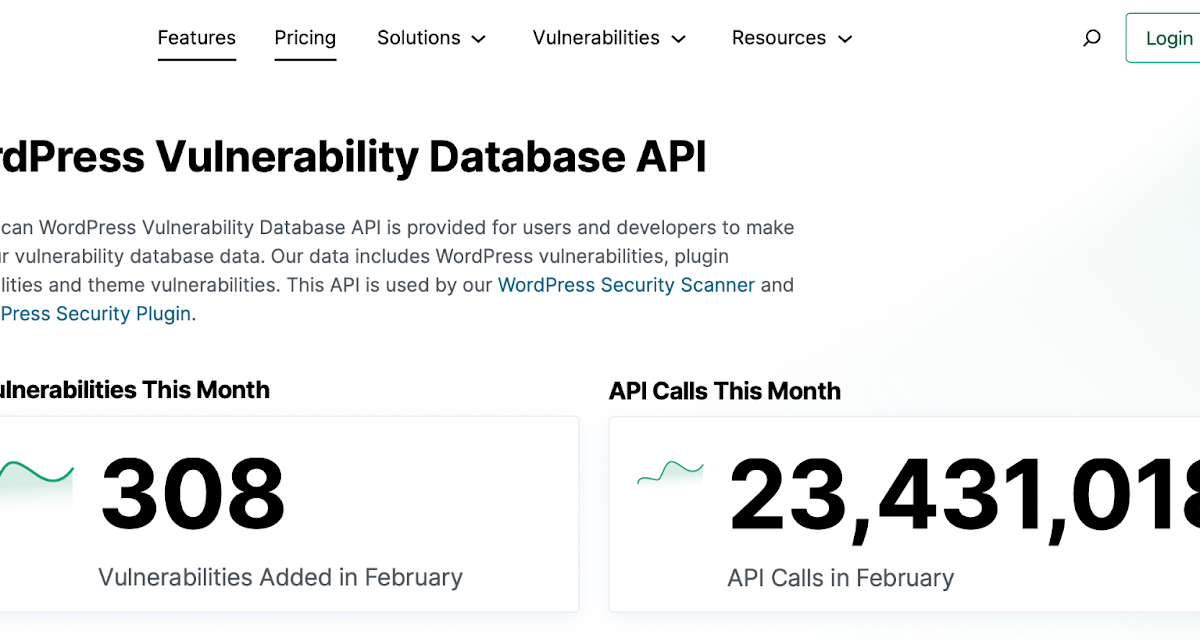
A comprehensive, expert-curated database is vital. WPScan, for example, maintains a detailed WordPress vulnerability database that is updated continuously, including zero-day exploit reports. Scanners integrating these databases provide higher confidence in detection. Tools sourcing from multiple vetted feeds and community disclosures reduce blind spots, especially important for less common plugins or custom code.
3. Accuracy and Scan Speed in WordPress Contexts
Scan duration depends heavily on site complexity. High-traffic WooCommerce sites with extensive plugin stacks can see scans lasting hours on shared hosting if the tool is not optimized. False positives are a major pain point; they waste precious developer time and can lead to alert fatigue. Automated verification to reduce false positives is a must-have, particularly for agencies managing multiple client sites.
4. Usability and Integration with WordPress Workflows
Scanners should integrate smoothly with WordPress management tools or CI/CD pipelines. Agencies benefit from scanners offering API access and centralized dashboards for multiple sites. User-friendly interfaces that surface prioritized, actionable findings empower security teams to act quickly. Overly complex setups often result in skipped scans or ignored findings, defeating the purpose.
Top 10 Vulnerability Scanners Recommended for WordPress Security
Based on WPScan’s latest industry review and our hands-on experience, here are ten vulnerability scanners that stand out for WordPress professionals:
- WPScan – The WordPress-specific pioneer with the most comprehensive vulnerability database and deep authenticated scan options.
- Nessus – A versatile scanner with WordPress plugins, strong network-level checks, and customizable policies.
- Acunetix – Known for detailed web application scanning, supports WordPress-specific vulnerabilities and REST API checks.
- OpenVAS – Open-source, capable of broad vulnerability detection, requires tuning for WordPress-specific accuracy.
- Qualys – Enterprise-grade scanner with cloud-based deployment, integrates WordPress vulnerability feeds.
- Detectify – Focuses on web app security with WordPress plugin detection and continuous monitoring capabilities.
- Snyk – Developer-centric tool scanning open-source dependencies, useful for plugin and theme codebases.
- SiteCheck by Sucuri – Free external scanner detecting known WordPress malware and plugin vulnerabilities.
- Burp Suite – Penetration testing tool with WordPress extensions, suitable for manual deep dives by security teams.
- Rapid7 InsightVM – Integrated vulnerability management with WordPress modules and automation features.
Each tool offers unique strengths. For example, WPScan’s focus on WordPress makes it invaluable for agencies and freelance developers who need reliable plugin vulnerability checks. Meanwhile, Qualys and Rapid7 suit enterprise environments where broader IT asset management is required alongside WordPress security.
What This Means for WordPress Users
WordPress site owners, especially those managing multiple client sites or WooCommerce stores, must prioritize vulnerability scanning as part of their security strategy. Implementing a WordPress-aware scanner with authentication capabilities uncovers hidden risks that external scans miss. In practice, this means fewer emergency patches and less downtime caused by exploited vulnerabilities.
Security-conscious agencies should integrate scanning tools into their deployment pipelines and automate periodic scans. The growing complexity of WordPress ecosystems—with numerous plugins, themes, and customizations—demands continuous vigilance. Scanners that reduce false positives and provide actionable insights free up developer time for other critical tasks.
For hosting providers, offering integrated WordPress vulnerability scanning as part of managed WordPress hosting plans adds clear value and differentiation. It also helps reduce the support burden from preventable security incidents. As WordPress continues to dominate CMS market share, expect vulnerability scanning to become a baseline feature in professional WordPress security setups.
Frequently Asked Questions
What is the difference between authenticated and unauthenticated WordPress vulnerability scans?
Authenticated scans log into WordPress to access internal files, database info, and plugin details, enabling detection of vulnerabilities invisible externally. Unauthenticated scans analyze only publicly accessible surfaces, which risks missing critical internal flaws.
How often should I run vulnerability scans on my WordPress site?
For active sites, monthly scans are a minimum. However, weekly or even daily scans are recommended for WooCommerce stores or heavily customized sites where new plugins or updates frequently roll out.
Can vulnerability scanners detect zero-day exploits in WordPress plugins?
While scanners rely on known vulnerability databases, some advanced tools incorporate threat intelligence and behavior analysis to flag suspicious activity potentially related to zero-day exploits. However, no scanner can guarantee detection of all zero-days.
Are there any free vulnerability scanning options for WordPress?
Yes, tools like WPScan offer free tiers with limited features, and SiteCheck by Sucuri provides external scans detecting known issues. These are good starting points but lack the depth and automation of paid solutions.