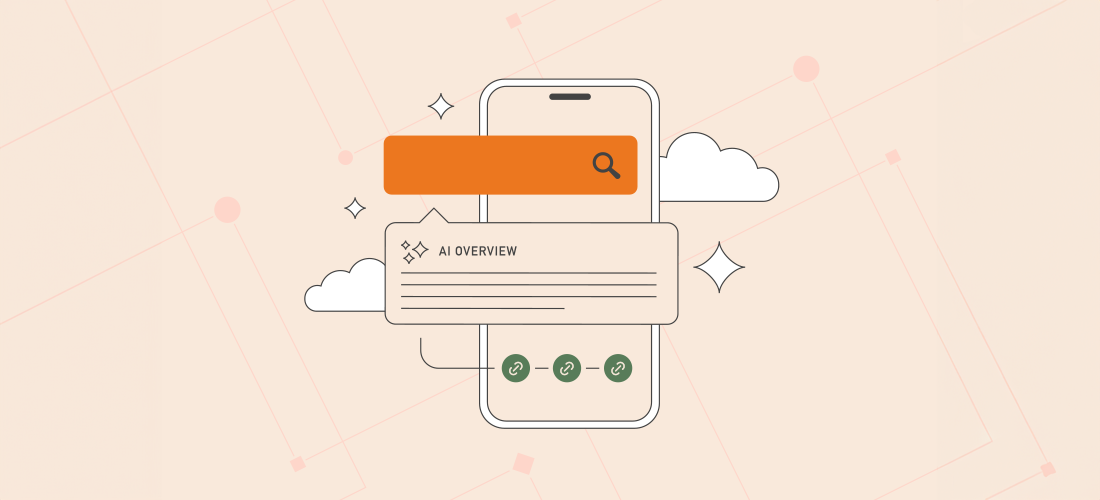
Artificial intelligence is reshaping how WordPress sites are discovered online. The shift from traditional search engine results pages (SERPs) to AI-generated answers means your WordPress site must adapt to maintain visibility. This guide unpacks AI visibility, how it differs from SEO, and practical steps to optimize your WordPress presence for the intelligent web.
- AI visibility measures how often your WordPress brand appears in AI-generated responses rather than traditional search results.
- It requires technical site architecture, clear structured data, and comprehensive topical authority beyond classic SEO tactics.
- Testing your AI presence using chatbots and AI interfaces reveals gaps in your brand’s AI recognition.
- Enhancing AI visibility involves schema markup, content strategy for AI comprehension, and building authoritative citations.
- WordPress professionals must integrate AI visibility tactics with existing SEO and hosting best practices to sustain traffic and influence.
Understanding AI Visibility Versus Traditional SEO for WordPress Sites
For years, WordPress site owners have relied on SEO principles like keyword optimization, backlink building, and content quality to rank well on Google and other search engines. However, the rise of AI-powered search interfaces—such as GPT-based chatbots and Google’s AI Overviews—has introduced a new dimension called AI visibility. Unlike SEO, which focuses on ranking individual pages in link-based results, AI visibility measures how often and accurately your WordPress brand and content are cited or synthesized within AI-generated answers.
This distinction matters because users increasingly receive direct answers from AI rather than clicking through to websites. For WordPress-powered businesses, this means that even if traffic remains stable, you may lose influence if AI systems don’t reference your site correctly or at all.
Key Signals AI Systems Use to Assess WordPress Site Authority
Understanding what AI models look for helps WordPress professionals align their sites for better AI visibility. The following signals are critical:
Authority and Citations
AI models prefer sources frequently cited by other trusted domains. For WordPress sites, this means earning high-quality backlinks from reputable industry websites, authoritative blogs, and major news outlets. Consistent mentions in third-party reports and industry analyses also boost perceived trustworthiness.
Structured, Crawlable Content
Static HTML content alone is insufficient. WordPress site architecture must incorporate schema markup (like FAQPage, Product, and Article schemas) to help AI parse content contextually. Clear site hierarchies, fast loading times, and mobile-friendly design further enhance machine readability.
Topical Authority
AI values comprehensive coverage. WordPress publishers should build interconnected content libraries that explore topics deeply rather than isolated blog posts. Using internal linking strategies and topical clusters reinforces authority on relevant subjects.
How to Evaluate Your WordPress Site’s AI Visibility
Testing your AI visibility requires direct interaction with AI tools and monitoring frameworks:
- Use AI chatbots (e.g., ChatGPT, Bard) to query your brand name and product categories, assessing if and how your WordPress site is referenced.
- Check AI-generated product or service comparisons to see if your offerings are included and accurately described.
- Analyze if competitors appear more prominently in AI responses, signaling potential gaps.
- Combine these tests with traditional SEO analytics to measure overlaps and discrepancies.
- Consider AI visibility tracking tools designed to monitor your brand’s presence across AI platforms.
Practical Steps to Boost AI Visibility for WordPress Sites
Improving AI visibility is a multi-faceted process that builds on existing SEO and hosting best practices. Here are actionable recommendations tailored for WordPress professionals:
1. Implement Comprehensive Schema Markup
Use plugins like Schema Pro or Yoast SEO to add structured data for articles, products, FAQs, and reviews. Schema helps AI systems understand your content’s context and relevance.
2. Optimize Site Architecture and Performance
Ensure your WordPress site uses a clean, logical URL structure, fast hosting, and a mobile-responsive theme. Tools like Divi offer flexible design and good performance out of the box. Faster, well-organized sites are easier for AI to crawl and interpret.
3. Build and Maintain Topical Content Clusters
Create related posts and pages linked together around core topics relevant to your niche. For example, a WordPress hosting agency could build clusters on security, performance, and scalability. This demonstrates your expertise and aids AI in grasping your subject breadth.
4. Earn Authoritative Backlinks and Mentions
Engage in guest posting, partnerships, and industry forums to increase high-quality backlinks. Accurate citations in industry reports and case studies reinforce your site’s trustworthiness in AI algorithms.
5. Monitor and Adapt Continuously
AI visibility is evolving. Regularly test AI query results related to your WordPress brand and update your content and technical setup accordingly. Use analytics to spot shifts in traffic patterns and AI citation frequency.
What This Means for WordPress Users
WordPress professionals must recognize that AI visibility is not a replacement for SEO but a complementary layer of digital discoverability. The intelligent web demands technical excellence, structured data, and authoritative content at a level beyond traditional ranking factors. Hosting environments, theme selection, and plugins influence how well AI systems can parse your site, making managed WordPress hosting with strong technical support a strategic asset.
For agencies and developers, this means advising clients to invest in AI visibility best practices alongside SEO. For site operators, it means auditing your WordPress setup with an AI lens—ensuring schema markup is in place, content is topically rich, and backlinks are credible. Brands that fail to adapt risk losing influence in buyer decision paths, especially in competitive sectors like SaaS, security, and hosting.
Integrating AI visibility into your broader WordPress strategy safeguards long-term traffic, engagement, and conversion potential as search continues to evolve.
Frequently Asked Questions
1. How is AI visibility different from traditional SEO?
Traditional SEO focuses on ranking your WordPress site’s pages in search engine results, often emphasizing keywords and backlinks. AI visibility measures how often your brand and content are referenced in AI-generated answers, which synthesize information across multiple sources instead of listing links.
2. Can I improve AI visibility without affecting my SEO?
Yes. Many AI visibility tactics, such as adding schema markup and creating topical content clusters, enhance SEO as well. However, AI visibility also requires more structured data and authoritative citations focused on how AI systems interpret your site.
3. What WordPress tools help with AI visibility?
Plugins like Yoast SEO and Schema Pro facilitate adding structured data. Performance plugins and managed hosting improve site speed and architecture, which aid AI crawling. Content planning tools help build topical clusters.
4. How do I test if my WordPress site has AI visibility?
Interact with popular AI chatbots by querying your brand and products to see if they appear in answers. Monitor AI-generated comparisons and use specialized tracking tools to measure your inclusion frequency.
5. What role does WordPress hosting play in AI visibility?
Quality hosting ensures your site loads quickly and is reliably available, both important for AI crawling and user experience. Managed WordPress hosting often provides optimized infrastructure and technical support to maintain these standards.