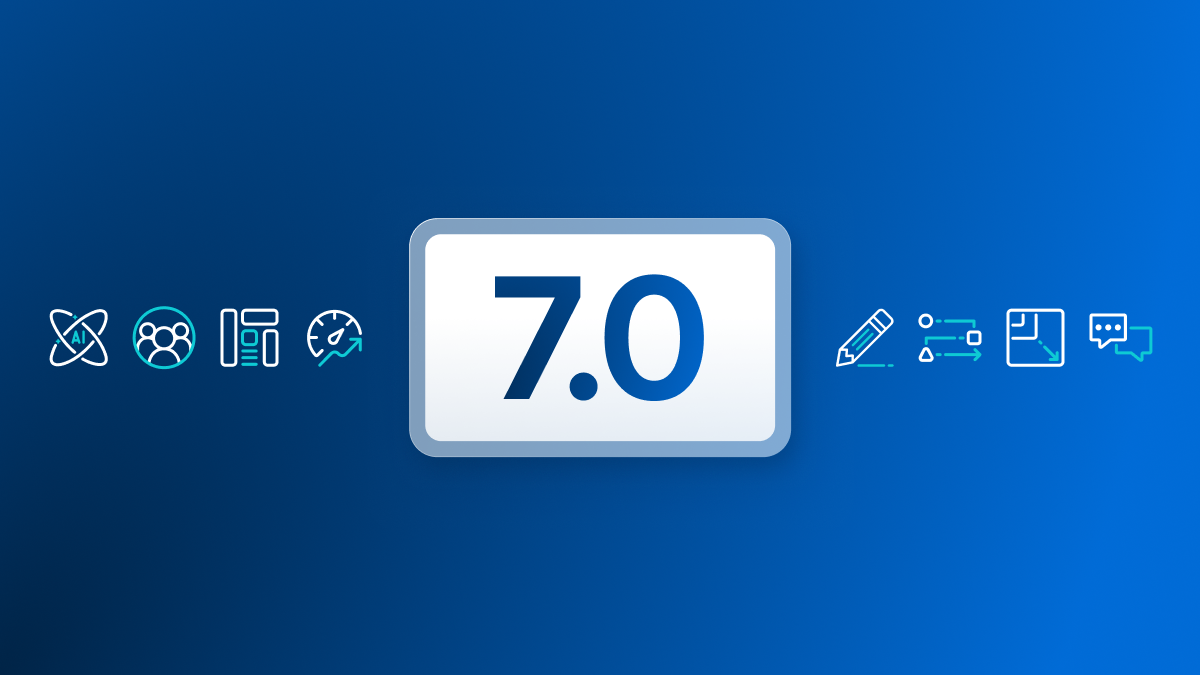
WordPress 7.0, codenamed Armstrong and released on May 20, 2026, marks a significant milestone for WordPress users and hosting providers alike. This update addresses long-standing design and performance limitations, introduces standardized AI integration, and modernizes core functionality, promising a smoother, more flexible experience for site operators and developers.
- WordPress 7.0 introduces a unified AI integration framework via the Connectors API and WP AI Client SDK, simplifying AI feature deployment across sites.
- Mobile navigation overlays become fully customizable template parts, ending the need for heavy third-party plugins for menus.
- Core enhancements improve performance with optimized database handling, refreshed admin UI, and raised PHP minimum to 7.4.
- New and improved blocks like responsive Grid, Breadcrumbs, and Icon blocks reduce plugin dependency and enhance native functionality.
- Hosting environments can leverage WordPress 7.0’s modernized codebase for better stability and future-ready AI capabilities.
Standardizing AI Integration for WordPress
One of the most transformative features in WordPress 7.0 is its native AI integration framework. Historically, WordPress users and developers relied on a patchwork of plugins to access AI features, each requiring unique setups, API keys, and maintenance. This fractured approach often led to inefficiencies, security concerns, and inconsistent user experiences.
WordPress 7.0 introduces the Connectors API and the WP AI Client SDK, built atop the existing Abilities API from version 6.9. The Connectors API provides a standardized way to manage connections to external AI providers such as OpenAI, Google, and Anthropic. Importantly, its architecture is flexible enough to support additional external services beyond AI in the future.
Recommended for Agencies, enterprise, large sites
WP Engine — from $30/mo
Visit WP Engine →Some links on this page are affiliate links. We may earn a commission when you click through and make a purchase, at no additional cost to you.
The WP AI Client SDK is a WordPress-native library that enables developers to interact with multiple AI providers through a single consistent interface. It leverages the WordPress HTTP API for secure communication and integrates seamlessly with WordPress-specific functions exposed via the Abilities API. In practice, this means plugin and theme developers can now build AI-powered features that are more stable, easier to configure, and maintain a consistent user experience across different AI providers.
For hosting providers, this shift implies that managed WordPress environments can better optimize AI resource management and security. Instead of unpredictable plugin behavior, hosts can expect more predictable AI API usage patterns, simplifying caching, resource allocation, and compliance measures.
Design Flexibility with Safety Nets
For a long time, WordPress designers faced frustration managing mobile menus, particularly the hamburger navigation, which often required complex CSS overrides or bulky third-party plugins. WordPress 7.0 changes this by making navigation overlays fully customizable as template parts within the block editor.
Inspired by community efforts like Mike McAllister’s Ollie Menu Designer, this feature lets users design mobile navigation menus that can include social icons, search bars, or contact forms directly within the core interface. Images used in these overlays are automatically deprioritized in loading to protect the critical rendering path, improving perceived page speed on mobile devices.
Additionally, the new expanded Pattern Editing capabilities, especially the “content-only” mode, allow designers to protect complex patterns from accidental structural edits. For agencies and freelancers managing clients’ sites, this reduces the chances of design breakage during routine content updates. This decoupling of content from structure aligns with modern development workflows and supports better collaboration between developers and content editors.
Core Performance and Modernization
WordPress 7.0 focuses heavily on hardening the core codebase for stability and performance. The minimum PHP version requirement has been raised to 7.4, allowing WordPress to leverage newer PHP features and improve execution speed. This move will encourage hosting providers and site operators to upgrade their environments, benefiting from better security and performance.
The admin experience has been refreshed for improved usability, while the core code has been optimized for efficient database interactions. Classic themes benefit from more reliable on-demand block stylesheet loading, and scripts now support module dependencies to reduce render-blocking behavior. These backend improvements translate to faster page loads and smoother site administration.
Expanding Native Block Functionality
WordPress 7.0 continues the trend of reducing reliance on third-party plugins by expanding native block capabilities. The Grid block is now responsive across columns, enabling complex multi-column layouts that adapt across devices without custom CSS. This is a significant improvement for developers who have long sought a built-in modern layout tool.
New blocks like Breadcrumbs and Icon blocks enhance site navigation and design without external dependencies. The Breadcrumbs block is schema-ready and highly customizable, improving SEO and user experience. The Icon block supports scalable SVGs with 88 preloaded icons, eliminating the need for large icon font libraries.
The Gallery block now supports lightbox navigation, allowing users and visitors to browse image sets with on-screen buttons or keyboard arrows. This feature was previously only achievable through plugins, so its inclusion in core simplifies site setups and reduces plugin bloat.
Other blocks, such as the Query Loop, have been refined for faster and more reliable performance, which benefits complex listings and blog layouts without sacrificing speed.
What This Means for WordPress Users
WordPress 7.0’s release signals a shift toward a more integrated, performance-conscious, and AI-ready WordPress ecosystem. For hosting providers, this means preparing server environments to support the raised PHP requirements and anticipating increased AI-related API usage. Managed WordPress hosts can consider offering built-in AI integration features as part of their service packages, leveraging the new core APIs for stability and security.
For agencies and freelancers, the expanded customization options in navigation overlays and pattern editing reduce the need for complex custom CSS and plugins, streamlining development and maintenance. These improvements can shorten project timelines and reduce client support requests related to broken menus or accidental content edits.
Site operators will benefit from faster, more stable sites with fewer plugins required, minimizing security risks and simplifying updates. The native AI framework opens opportunities for integrating intelligent content generation, chatbots, and personalized experiences without juggling multiple plugin configurations.
Overall, WordPress 7.0 is laying the groundwork for the next generation of web experiences, blending design flexibility, modern performance standards, and AI integration in a way that reflects real-world needs of WordPress professionals.
Frequently Asked Questions
What is the Connectors API in WordPress 7.0?
The Connectors API is a new framework in WordPress 7.0 designed to manage external service connections, primarily AI providers like OpenAI and Google. It standardizes how WordPress sites interact with these services, simplifying integration and future-proofing the platform for other external connections.
How does WordPress 7.0 improve mobile navigation menus?
Navigation overlays in WordPress 7.0 are now fully customizable template parts within the block editor. This allows users to design mobile menus with added features like social icons and search bars without relying on heavy plugins or complex CSS hacks.
What are the hosting implications of raising the PHP minimum version to 7.4?
Hosting providers and site operators must ensure their servers run PHP 7.4 or higher to support WordPress 7.0. This upgrade enables better performance and security but may require updating legacy hosting environments or software stacks.
Which new blocks in WordPress 7.0 reduce plugin dependency?
New and improved blocks like the responsive Grid block, Breadcrumbs block, Icon block, and Gallery block with lightbox navigation reduce the need for third-party plugins for layouts, navigation, icons, and galleries.
How can developers leverage the WP AI Client SDK?
The WP AI Client SDK provides a WordPress-native library to interact with multiple AI providers through a consistent interface, simplifying the development of AI-powered features and ensuring secure, standardized API communication.