WordPress 7.0 “Armstrong” arrives as a landmark release, embedding artificial intelligence deeply into the CMS core and delivering a modernized admin experience designed for builders and agencies alike.
- WordPress 7.0 integrates an AI Client and Abilities API, enabling generative AI-powered content creation and workflow automation directly within the dashboard.
- The entirely redesigned admin dashboard features a new color scheme, smooth transitions, a Command Palette for quick access, and centralized font management compatible with block, hybrid, and classic themes.
- New and enhanced blocks—including gallery lightbox, breadcrumbs navigation, and icons—offer granular design control and improved responsiveness with device-specific visibility toggles.
- Developers gain expanded APIs, server-side block registration with PHP, and extensible Site Editor routing, empowering faster, more flexible customizations and plugin integrations.
- Agencies managing multiple client sites can leverage AI capabilities and dashboard improvements to streamline content workflows, reduce repetitive tasks, and deliver personalized experiences.
What Happened
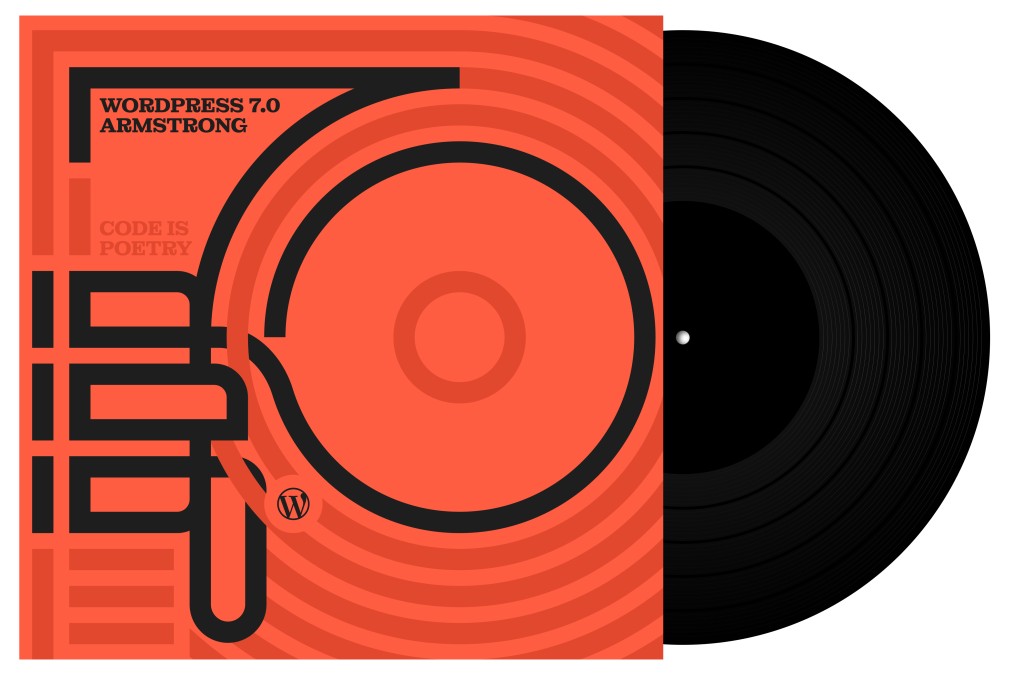
On May 20, 2026, WordPress.org officially released WordPress 7.0, codenamed “Armstrong” to honor jazz legend Louis Armstrong. This major version introduces a foundational AI integration layer, delivering new content creation tools and workflow automation via a new AI Client and Abilities API. These enable WordPress to communicate with external generative AI models, managed from a centralized connector hub in the admin dashboard.
The dashboard itself has been overhauled with a sleek, modern color palette and refined UI transitions. A new Command Palette accessible via ⌘K or Ctrl+K offers keyboard-driven navigation to tools and settings. Font management becomes centralized with a dedicated page supporting all theme types.
WordPress 7.0 also expands the block editor with new blocks such as a gallery block featuring lightbox slideshows, a breadcrumbs navigation block, an icons block, and enhanced heading and responsive visibility controls. Block-level custom CSS is now possible, allowing highly granular styling directly within posts and pages.
On the developer side, WordPress 7.0 introduces server-side block registration using pure PHP, an extensible Site Editor framework with routing and validation, and a new wordpress/boot package facilitating plugin-driven site editor pages. The release comes with comprehensive documentation including a feature showcase, field guide, and release notes.
Why This Matters
WordPress 7.0 represents a decisive step toward integrating AI capabilities natively within the world’s most popular CMS. By embedding an AI Client and Abilities API, WordPress opens the door to new workflows where content generation, editing, and metadata suggestions can be partially or fully automated. This reduces friction for content creators and agencies who previously relied on external tools or manual processes.
From an ecosystem perspective, this foundational AI layer is designed to be extensible. Plugin developers and agencies can build on top of the Abilities API to tailor AI-powered features to their clients’ specific needs, whether generating alt text for accessibility or automating SEO metadata. Consolidating AI connection management into a single dashboard hub streamlines configuration and security considerations, critical in multi-site and agency environments.
The redesigned dashboard addresses long-standing usability bottlenecks in WordPress admin. The Command Palette mimics productivity tools popular in modern IDEs, reducing navigation time and cognitive load for power users managing multiple sites or complex setups. Centralized font management, including support for classic themes, simplifies typography consistency—a common pain point in hybrid site environments.
The enhanced block editor features emphasize granular design control and responsiveness, which are vital for agencies delivering bespoke client sites optimized for diverse devices. Device-specific block visibility without affecting other viewports is particularly notable for improving mobile UX without duplicating content or complex custom CSS workarounds.
Developer enhancements reflect a shift toward PHP-driven block registration on the server side, which can simplify block creation pipelines and improve performance by reducing client-side JavaScript payloads. The new Site Editor extensibility and routing APIs signal WordPress’s intention to evolve full site editing into a more flexible and modular platform, accommodating increasingly sophisticated theme and plugin architectures.
However, introducing AI also brings operational considerations. Managed hosts and agencies must evaluate how AI integrations impact site performance, data privacy, and compliance—especially when AI queries involve sending content to third-party services. The learning curve for new dashboard paradigms and API expansions will require training and adjustment for teams accustomed to previous WordPress versions.
What This Means for WordPress Users
Agencies and Developers: WordPress 7.0’s AI integration and developer APIs offer new avenues to automate content workflows and extend site editing capabilities. Agencies managing multiple client sites should explore how AI-generated content and metadata can reduce repetitive work, while evaluating the security implications of external AI connectors. PHP-based server registration of blocks can streamline custom block development and improve site performance, but requires updating development toolchains and testing for backward compatibility.
Site Operators and Content Creators: The revamped dashboard and Command Palette will speed up daily operations, especially for power users juggling multiple admin screens. New blocks and responsive controls empower more precise site design without complex CSS or separate mobile themes. AI tools embedded in the editor can assist with everything from image generation to alt text suggestions, but users should verify AI outputs carefully to maintain brand voice and accessibility compliance.
Hosting Providers: The AI Client’s calls to generative AI services may increase server resource demands and require careful caching or rate limiting to avoid performance degradation. Hosting environments should prepare for potential spikes in API communication and ensure secure handling of content passed to external AI models. Offering pre-installed AI plugins or integrated connectors could become a competitive differentiator.
Overall: WordPress 7.0 “Armstrong” sets a new baseline for CMS capabilities by fusing AI directly with content management and site building. While the innovations promise efficiency gains and creative flexibility, they also introduce complexity around integration, security, and user training. Early adopters should pilot AI features cautiously and provide feedback to help the ecosystem mature these new capabilities responsibly.
Frequently Asked Questions
- What is the new AI Client in WordPress 7.0?
- The AI Client is a core component that enables WordPress to communicate with external generative AI models. It works alongside the Abilities API to provide AI-powered content creation, editing, and workflow automation, all managed from a centralized connector hub in the dashboard.
- How does the Command Palette improve admin usability?
- The Command Palette allows users to quickly access tools, settings, and navigation links across the admin area using keyboard shortcuts (⌘K/Ctrl+K). This reduces the number of clicks and screen transitions, streamlining workflows especially for developers and agencies managing complex sites.
- Can I use AI features without installing additional plugins?
- WordPress 7.0 includes the AI Client and basic AI abilities in core, but installing the new AI plugin unlocks expanded functionality such as image generation, title suggestions, and alt text creation. The plugin extends the AI capabilities beyond the core foundation.
- What are the implications of server-side block registration?
- Server-side block registration allows developers to define blocks entirely in PHP, which can improve performance by reducing JavaScript payloads and simplifying build processes. However, it may require updating existing blocks and adapting to new APIs.
- How does WordPress 7.0 handle responsive design improvements?
- Users can now control block visibility per device type, hiding or showing blocks on desktop, tablet, or mobile without affecting other viewports. This granular control eliminates the need for complex CSS media queries or duplicate content, enhancing mobile user experience.