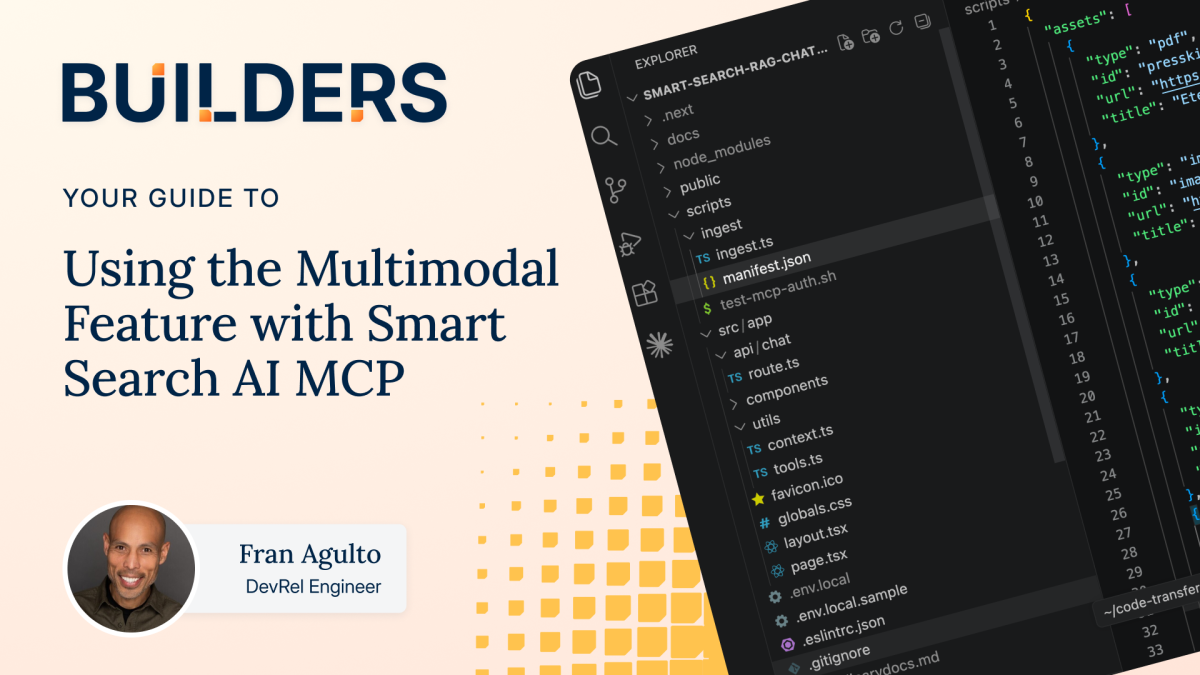
WordPress site operators and managed hosting customers now have a powerful new way to enhance search across mixed media content. The recently introduced Multimodal feature in Smart Search AI’s Managed Content Platform (MCP) enables indexing and searching of both text and visual assets in a unified semantic space. This capability is a significant step forward for WordPress-powered sites that rely on diverse asset types, from PDFs to images, to communicate and engage users effectively.
- Smart Search AI MCP’s Multimodal feature indexes PDFs and images together, improving search relevance across WordPress content and media.
- The unified semantic index allows queries to return both text snippets and visual assets like diagrams or product shots in a single response.
- Current beta supports standard image formats and shorter PDFs, ideal for typical WordPress media libraries and documentation.
- Integrating the multimodal index requires updating ingestion pipelines and chatbot query logic to handle mixed media results.
- WordPress professionals should prepare for richer, more contextual search experiences that leverage AI vision and text extraction models.
Understanding the Challenge: WordPress Content Beyond Text
Traditional search engines in WordPress environments have long struggled with modality — the ability to understand and return relevant results from diverse content types beyond plain text. While text-based posts and pages index easily, images and PDFs often remain opaque to search unless painstakingly annotated or manually linked. This gap limits user experience, especially for sites with rich media such as product catalogs, manuals, or marketing collateral stored in PDFs or image files.
In practice, many WordPress sites use third-party tools like Cloudinary for media management and maintain extensive PDF documentation. Prior Smart Search AI RAG (Retrieval-Augmented Generation) setups solved data fragmentation by connecting WordPress content and Cloudinary assets via MCP. However, these implementations focused primarily on text retrieval, leaving the visual context underutilized. The new Multimodal feature addresses this by creating a unified index that understands both textual and visual content semantically.
Recommended for Agencies, enterprise, large sites
WP Engine — from $30/mo
Visit WP Engine →Some links on this page are affiliate links. We may earn a commission when you click through and make a purchase, at no additional cost to you.
How the Multimodal Feature Works with WordPress Hosting
The Multimodal feature hinges on the concept of a unified semantic index. Instead of maintaining separate vector spaces — one for text descriptions and another for images — Smart Search AI uses vision models to generate meaningful descriptions, captions, and alt-text for images at ingestion. These AI-generated textual representations sit alongside extracted PDF text within the same index schema, distinguished only by an asset_type field.
For WordPress sites running on managed hosting platforms like WP Engine, this means a single search query for terms like “safety diagrams” can simultaneously retrieve relevant passages from PDF manuals and matching images such as infographics or product photos. This seamless blending of modalities enhances content discoverability and user satisfaction.
Technical Prerequisites and Setup
To leverage the Multimodal feature, WordPress developers and site managers should start with a working Smart Search RAG setup that syncs WordPress posts and Cloudinary media via MCP. The ingestion pipeline must be extended to process PDFs and images through GraphQL queries (pdf.extract and image.analyze), which extract text and generate vision-based descriptions respectively.
Configuration involves updating environment variables with GraphQL access tokens and MCP credentials. For example, the ingestion secret (SMART_SEARCH_ACCESS_TOKEN) and MCP chatbot token (AI_TOOLKIT_MCP_TOKEN) are necessary to authenticate the respective processes. Managed hosting environments typically support these environment configurations securely, ensuring seamless integration.
Indexing Workflow and Data Normalization
The ingestion script, typically implemented in TypeScript, normalizes both PDF and image data into a shared schema. PDF content populates the body field with extracted text, while images receive AI-generated descriptions. An asset_type discriminator marks each record, allowing search queries to differentiate and blend results appropriately.
In real-world deployments, logs from the ingestion process confirm successful extraction and indexing of assets. For example, a batch of five assets including PDFs and images can be indexed within seconds, with the system logging character counts for PDFs and descriptive captions for images. This feedback loop is crucial for WordPress developers to verify the accuracy and completeness of their multimodal index.
Enhancing WordPress Chatbots and Search Interfaces
Once the multimodal index is populated, the WordPress-hosted chatbot’s backend requires updating to treat the AI as both a reader and a viewer. The chatbot’s query logic must handle mixed media results, returning text excerpts alongside URLs and alt-text for images within the same conversational turn. This shift enables chatbots to display visual assets inline with textual information, enriching interactions.
From a WordPress user perspective, this means visitors can ask complex questions involving visual content — such as requesting a diagram or product photo — and receive immediate, contextually relevant responses. Managed hosting providers with integrated AI search solutions can thus offer differentiated user experiences, particularly for e-commerce sites, documentation portals, or multimedia blogs.
Limitations and Beta Status
Currently, the Multimodal feature is in beta and optimized for shorter PDFs (under 20 pages) and standard image formats like PNG and JPG. Large technical manuals or lengthy books may experience extraction failures or degraded performance. WordPress site operators should test their media assets and adjust indexing frequency accordingly.
Additionally, vision models are probabilistic and may occasionally produce incomplete or imprecise descriptions, especially for abstract or complex images. Continuous monitoring and manual metadata supplementation remain best practices for critical content.
What This Means for WordPress Users
For WordPress professionals managing content-heavy sites or those leveraging managed hosting platforms, the Multimodal feature represents a crucial evolution in search capabilities. We recommend auditing your existing media assets and documentation to identify opportunities to enable richer search experiences. Integrating Smart Search AI MCP’s multimodal indexing can reduce reliance on manual tagging and improve user engagement.
This advancement signals a broader industry shift toward AI-driven, context-aware search solutions tailored to the WordPress ecosystem. We anticipate managed hosting providers increasingly embedding such AI features to differentiate their offerings. Agencies and freelancers should prepare to advise clients on leveraging multimodal search to enhance site usability and accessibility.
In practice, upgrading your ingestion pipelines and chatbot logic to handle multimodal data will require developer resources familiar with GraphQL, TypeScript, and AI model integration. However, the payoff includes faster, more relevant search results that combine text and images seamlessly, improving conversion rates and reducing support queries.
Finally, given the beta status, we advise cautious rollout in production environments with thorough testing. Documenting feedback and edge cases will help the Smart Search AI team refine the feature for broader WordPress adoption.
Frequently Asked Questions
- What types of WordPress media assets does the Multimodal feature support?
- The feature currently supports standard image formats such as PNG and JPG, along with PDFs up to approximately 20 pages. Larger documents or uncommon formats may not extract correctly in the beta version.
- How does Smart Search AI generate descriptions for images?
- It uses AI vision models to analyze images at ingestion, creating searchable descriptions, captions, and alt-text that integrate with textual content in the unified index.
- Do I need developer expertise to implement the Multimodal feature on a WordPress site?
- Yes, integrating this feature requires updating ingestion scripts, environment variables, and chatbot logic, generally involving knowledge of GraphQL, TypeScript, and AI tools.
- Can the Multimodal search feature improve accessibility on WordPress sites?
- By generating accurate alt-text and captions for images automatically, it can enhance accessibility, but manual review is recommended to ensure compliance with standards.
- Is the Multimodal feature compatible with all managed WordPress hosting platforms?
- While designed to work with Smart Search AI MCP, compatibility depends on the hosting provider’s support for environment configurations and custom backend code. WP Engine customers benefit from native integration.