Some links on this page are affiliate links. We may earn a commission when you click through and make a purchase, at no additional cost to you.
Developers and agencies using WordPress now have a streamlined way to manage local development with the new integration of WordPress Studio and Pressable.com" rel="nofollow noopener" target="_blank">Pressable. This collaboration allows users to effortlessly sync their local sites with Pressable-hosted environments, simplifying workflows and reducing deployment risks.
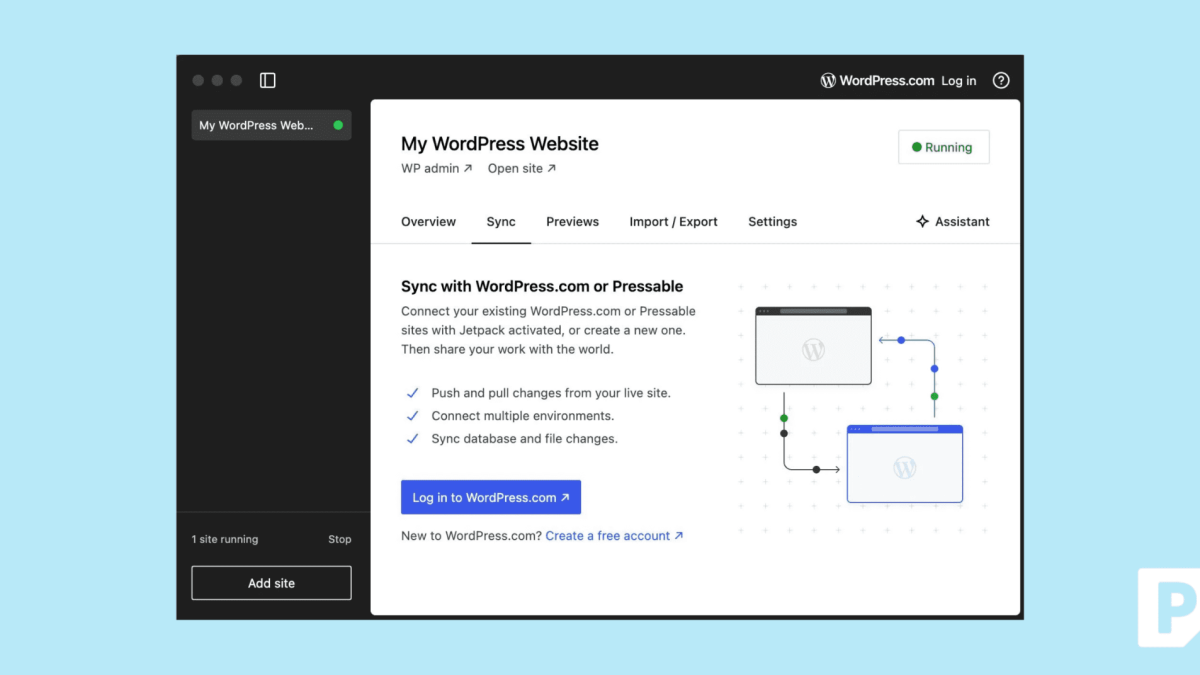
WordPress Studio, an open-source local development tool from WordPress.com, is designed to eliminate the complexities of local WordPress development. By forgoing traditional setups like MAMP and Docker, Studio provides a user-friendly interface to spin up sites directly on your desktop. The inclusion of Pressable integration enhances this experience by enabling users to push and pull site data seamlessly.
The real advantage of this integration lies in its ability to synchronize local and hosted environments without the traditional hassles of SQL file exports or deployment scripts. Developers can now manage themes, plugins, media, and databases with ease, directly from their desktop. This functionality is invaluable for teams managing multiple sites or those involved in fast-paced projects.
Why WordPress Studio Sync with Pressable Matters
For those utilizing Pressable, every plan includes staging and sandbox environments. This feature is critical for testing changes safely before they go live. The integration with WordPress Studio allows developers to pull live, staging, or sandbox sites into the local environment, make necessary changes, and then push them back with confidence and automatic backups.

Using sandbox sites for syncing is particularly recommended when validating plugin updates, reviewing custom code, or previewing redesigns. Once the changes are satisfactory, they can be promoted to staging or production environments, ensuring minimal disruption and maximum reliability.
Getting Started with WordPress Studio and Pressable
Setting up this integration is straightforward. Users need to download WordPress Studio for macOS or Windows, create or select a local site in Studio, and connect their Pressable site with Jetpack Security using a WordPress.com account. Logging into Studio with the same account allows for seamless site synchronization.
To begin working, users can pull their Pressable site into Studio to start local developments or push local changes to the Pressable sandbox or staging sites. This process is supported by a comprehensive walkthrough available in Pressable’s Knowledge Base, ensuring users can get started quickly and efficiently.
What To Do
- Developers: Install WordPress Studio and connect your Pressable sites to streamline your local development workflow.
- Agencies: Leverage the staging and sandbox environments for safe testing of updates and new features.
- Freelancers: Utilize the integration to enhance collaboration and manage multiple client sites with ease.