Some links on this page are affiliate links. We may earn a commission when you click through and make a purchase, at no additional cost to you.
Your WordPress site is under constant threat from cyber criminals looking to exploit any vulnerability. Performing regular security audits using a comprehensive WordPress security checklist is vital to safeguarding your site.
As soon as a WordPress site goes live, it becomes a target for bots scanning the web for weaknesses. These automated threats probe sites non-stop, attempting to compromise them via vulnerable plugins, misconfigured file permissions, or weak passwords. For site owners, particularly those self-hosting or on budget hosting plans, regular security checks are not just advisable but essential.
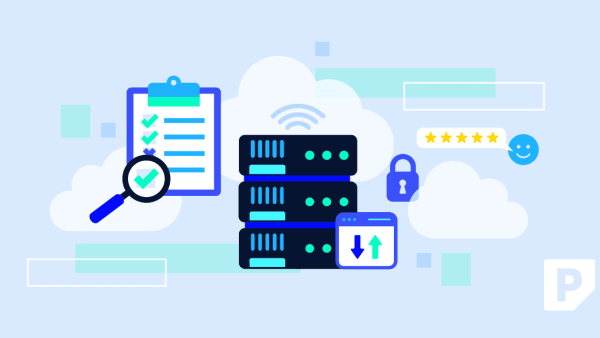
A WordPress security audit involves a systematic review of your website’s core files, plugins, themes, and security features to identify exploitable vulnerabilities. These audits should be conducted at least quarterly to prevent risks ranging from data loss to reputational damage. For sites handling sensitive data, more frequent checks are recommended.
A WordPress Security Checklist for 2025
Cybersecurity threats evolve rapidly, and keeping your WordPress site secure requires vigilance. Here’s a checklist to guide your security audits:

1. Upgrade PHP and Server Software: Outdated PHP versions can harbor vulnerabilities. Check your hosting control panel to ensure the latest PHP and server software versions are in use. If your host is slow to upgrade, consider moving to a provider that prioritizes security, like Pressable.com" rel="nofollow noopener" target="_blank">Pressable.
2. Update WordPress Core Software: New WordPress releases fix bugs and security issues. Always apply updates promptly. If your provider supports automatic updates, enable them to ensure you’re always protected. For manual checks, visit WordPress.org for the latest releases.
3. Check Plugins and Themes: Regularly update your plugins and themes. Remove any that are outdated or no longer in use. Abandoned software can be vulnerable to attacks.
4. Strengthen Login Security: Enforce strong password policies and use security plugins like Sucuri to protect against brute force attacks. Jetpack Security, included with Pressable’s hosting, offers robust login protection.
5. Set Secure File and Directory Permissions: Ensure permissions are configured to prevent unauthorized file modifications. Reliable hosting providers configure these settings securely by default.
Why Regular Audits Matter
Failure to conduct regular security audits can lead to severe consequences, including data loss, site downtime, reputational damage, SEO penalties, and even financial or legal repercussions. Given the stakes, it’s surprising how many site operators overlook this critical practice.
Managed hosting providers often handle many aspects of security, but when you’re self-hosting, the responsibility lies squarely on you. Investing time in regular audits is a small price to pay for the peace of mind and protection they provide.
What To Do
- Site Owners: Schedule quarterly security audits and follow the checklist to ensure comprehensive coverage.
- Developers: Implement automated update checks and security alerts to minimize manual oversight.
- Agencies: Educate clients on the importance of security audits and offer them as part of your service.