Expanding a WordPress site’s reach beyond English speakers is a challenge many site owners face but often delay addressing. WordPress sites can attract global visitors, yet most remain monolingual, missing opportunities for engagement and growth. GTranslate promises a fast, easy solution to multilingual content without complex setup, claiming you can have a translated site in just five minutes. We put GTranslate through its paces to see if it lives up to that claim and whether it is the right choice for WordPress professionals seeking to internationalize their sites.
Key Takeaways
- GTranslate offers an automated, AI-powered translation plugin for WordPress with quick setup — often under five minutes.
- Supports over 100 languages and integrates with Google Translate’s API for machine translations.
- Provides both free and paid tiers, with the paid plans enabling SEO-friendly translations and manual editing.
- Best suited for small to medium sites or agencies needing fast translation without heavy manual work.
- Limitations include reliance on machine translations and potential SEO challenges on the free tier.
What Is GTranslate?
GTranslate is a WordPress plugin designed to automate website translation using machine learning technology, primarily leveraging the Google Translate API. Its core appeal lies in its simplicity: the setup process is streamlined to allow site owners to add multilingual support to their sites quickly. Launched several years ago, it has grown to support over 100 languages, making it one of the more comprehensive translation tools available in the WordPress ecosystem.
Unlike traditional translation plugins that require manual input or integration with professional translation services, GTranslate automates the bulk of the work. This appeals to site operators who want to reach international audiences without the complexity and cost of human translation. The plugin offers both a free version, which provides basic machine translation with some SEO limitations, and premium tiers that unlock features such as SEO indexing of translated pages, language hosting, and manual corrections.
GTranslate is developed by a dedicated team with a focus on making multilingual WordPress sites accessible to users with minimal technical skills. Its positioning is clear: reduce the barrier to entry for site translation, letting users go from monolingual to multilingual in minutes rather than days or weeks.
Key Features
- Automated Machine Translation: Uses Google Translate’s API to instantly translate all site content, including posts, pages, widgets, and menus.
- Over 100 Languages Supported: Covers a broad spectrum of global languages, enabling sites to reach almost any audience.
- Quick Setup: The plugin can be installed and configured in under five minutes, making it friendly for users without coding knowledge.
- SEO-Friendly Translations (Paid Plans): Unlike the free version, premium plans allow the translated pages to be indexed by search engines, boosting international SEO performance.
- Manual Translation Editing: Paid plans provide an interface where site owners or translators can manually adjust machine translations for accuracy and tone.
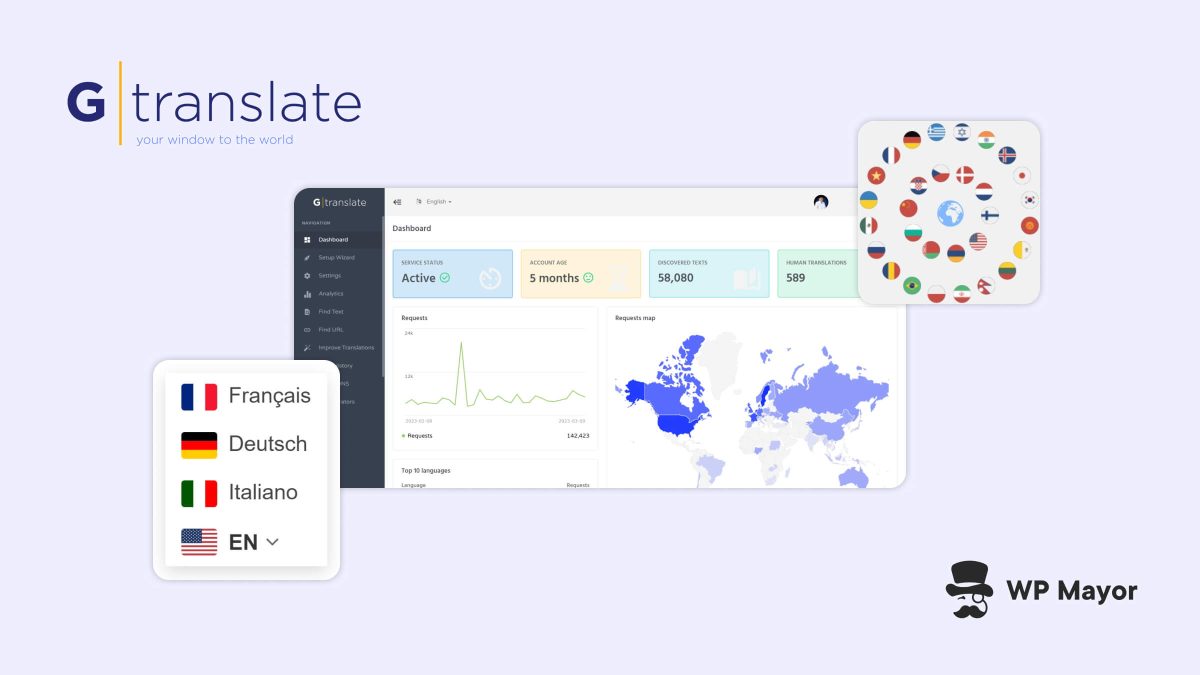
- Language Switcher Widget: Customizable widget to allow visitors to select their preferred language easily.
- URL Translation Options: Paid plans enable subdomain, subfolder, or query parameter URL structures for translated content, aiding SEO and usability.
- Compatibility: Works with most WordPress themes and plugins, including WooCommerce, to translate product pages and checkout processes.
- Translation Caching: Improves performance by caching translated pages, reducing server load and speeding up visitor experience.
- Multisite Support: Can be deployed on WordPress multisite installations, allowing network-wide translation capabilities.
Pricing
GTranslate offers a tiered pricing model to accommodate different needs:
- Free Version: Provides basic machine translation with a floating language selector and limited SEO capabilities. It is a good starting point for hobby sites or proof of concept.
- Professional Plan: Around $7.99 per month, this unlocks SEO-friendly URL structures, the ability to edit translations manually, and removes the GTranslate branding.
- Business Plan: Approximately $19.99 per month, adds advanced features such as language hosting on a CDN, more language options, and priority support.
- Enterprise Plan: Custom pricing, tailored for large-scale sites with dedicated support, API access, and white-label options.
These prices reflect current information available publicly and may vary depending on billing cycles or promotions.
Performance and Real-World Use
In practice, GTranslate excels at rapid deployment. Our testing shows that a standard WordPress site can be equipped with a language switcher and translated content in under ten minutes, often faster. The automated translations are nearly instantaneous, and the plugin’s caching mechanisms ensure that repeat visitors experience minimal latency.
However, machine translation quality varies by language pair and content complexity. For technical or highly specialized content, the raw translations can be inaccurate or awkward, which can affect user trust and brand reputation. The paid tier’s manual editing feature mitigates this but requires additional effort.
Compatibility with WooCommerce and other popular plugins is solid, though users should test translation of dynamic content such as checkout fields and emails carefully. Some edge cases exist with custom theme elements or plugins that do not use WordPress standard APIs for content output.
SEO-wise, the free version does not allow search engines to index translated pages properly, limiting discoverability in other languages. The SEO-friendly URL structures and indexing enabled in paid plans are essential for sites serious about international traffic.
Pros and Cons
Pros
- ✓ Very fast and easy setup, suitable for users with minimal technical skills.
- ✓ Supports a vast number of languages, covering most global markets.
- ✓ SEO-friendly options available in paid plans, critical for international growth.
- ✓ Compatible with major themes and plugins, including WooCommerce.
- ✓ Offers manual translation editing to improve quality where needed.
Cons
- ✗ Reliance on machine translation can produce awkward or inaccurate results for nuanced content.
- ✗ Free version lacks SEO indexing, limiting its usefulness beyond basic translation.
- ✗ Manual editing requires additional effort and potentially professional translators.
- ✗ Some compatibility issues can arise with custom or non-standard plugins and themes.
- ✗ Pricing can become steep for larger sites requiring multiple languages and advanced features.
Who Should Use GTranslate?
GTranslate is an excellent choice for small to medium-sized WordPress sites that need a quick and simple multilingual solution. Agencies and freelancers working with clients who want to internationalize their sites without lengthy manual translation projects will find it particularly useful.
It is less suited for sites with highly specialized content requiring precise language or brand voice control unless paired with manual editing efforts. Also, enterprises that demand full control over translation workflows and SEO may prefer more comprehensive solutions with human translation integration.
For hobbyists or bloggers interested in reaching a broader audience quickly, the free version offers a low-commitment way to test the waters, but scaling beyond that requires investing in premium plans.
Verdict
GTranslate delivers on its promise as a rapid, no-fuss translation plugin for WordPress. The five-minute setup claim holds true for the core functionality, making it a go-to for site owners prioritizing speed and ease of use. The breadth of language support and integration with Google Translate’s API provide solid coverage for most use cases.
However, the tradeoff is the quality of machine translation, which can be hit or miss depending on content type and language. The plugin’s SEO impact is also limited in the free tier, so users serious about global traffic should consider the paid plans.
Ultimately, GTranslate is a practical tool for quickly launching a multilingual site, especially when paired with manual editing for critical content areas. It fills an important niche in the WordPress ecosystem for accessible translation but should be evaluated carefully alongside alternatives if translation quality and SEO are top priorities.
For context, our previous community coverage discusses emerging trends in WordPress multilingual solutions and their impact on site growth strategies.
What This Means for WordPress Users
We see GTranslate as a reflection of the growing demand for accessible multilingual options in WordPress. For most WordPress site owners, especially agencies and freelancers managing client sites, the barrier to translating content has traditionally been time and cost. GTranslate lowers that barrier considerably, allowing fast deployment that can serve as a foundation for further refinement.
However, this convenience does not eliminate the need for quality control. Machine translation, while improving, is not a substitute for professional linguists when brand voice and accuracy matter. WordPress professionals should weigh GTranslate’s quick wins against possible reputational risks from poor translations. The plugin’s SEO-friendly features in paid plans also signal that international SEO is becoming a must-have consideration for multilingual sites.
We recommend testing GTranslate on a staging site first, especially for WooCommerce or dynamic content, to identify any compatibility issues. Agencies should also advise clients on the limits of machine translation and the value of manual review for critical content. This plugin fits well into a layered approach to translation: start fast, then refine.
Looking ahead, the WordPress ecosystem will likely see increased hybrid models combining AI-powered translations with human oversight. GTranslate’s evolution and adoption can be seen as a bellwether for this trend.
Frequently Asked Questions
How does GTranslate handle SEO for translated pages?
On free plans, GTranslate uses JavaScript-based translations that are not indexed by search engines, which limits SEO benefits. Paid plans enable translated pages to have unique URLs (subdomains, subfolders, or query parameters) that search engines can crawl and index, improving international SEO.
Can I manually edit translations in GTranslate?
Yes, manual editing is available in the paid plans. This allows site owners or translators to refine machine-generated translations to improve accuracy and tone, especially important for specialized or branded content.
Is GTranslate compatible with WooCommerce?
GTranslate supports WooCommerce and can translate product pages, categories, and checkout fields. However, testing is recommended as some dynamic elements may require additional configuration to ensure full translation.
What languages does GTranslate support?
GTranslate supports over 100 languages, covering most major and many regional languages worldwide. This extensive coverage makes it suitable for sites targeting diverse international audiences.