WordPress 7.0 ushers in significant changes in the ‘dataviews space’ that developers and site operators need to understand. With 166 contributions from 35 unique authors over the past 4.5 months, this update promises to enhance API capabilities and user experience significantly.
Among the most notable enhancements is the introduction of new layouts in both DataViews and DataForm. The DataViews component now includes an ‘Activity layout’, which follows an activity-feed-timeline style, providing a more dynamic way to visualize data. Additionally, a ‘List layout’ has been enhanced to support density settings, allowing users to configure views for compactness via the view config.
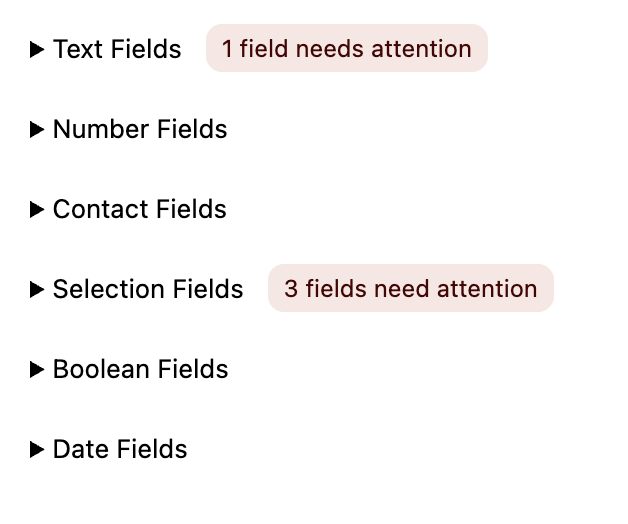
The DataForm component also sees new additions, such as the ‘Details layout’ and ‘Panel layout’, both of which offer new ways to manage form visibility and presentation. The ‘Card layout’ now includes collapsible sections, providing flexibility in how information is displayed and interacted with.
A Remote Code Execution in Elementor Pro, Version 3.11
The Field API has been expanded with more robust features for data validation and formatting. It now supports a comprehensive range of data types, including integer, number, datetime, and date. Developers can leverage the getValueFormatted function to apply custom formats, such as converting bytes to kilobytes or gigabytes, enhancing the adaptability of data presentation.
Validation rules have also been strengthened, with the isValid function now supporting regex patterns, minimum and maximum string lengths, and numeric value constraints. These enhancements provide developers with more control over data integrity, ensuring that data entered into forms meets predefined criteria.
Why Automattic’s Move Caught Agencies Off-Guard
From an edit control perspective, the update introduces the ‘combobox’ and ‘adaptiveSelect’ controls. These new controls are designed to handle a large number of elements more efficiently, automatically adjusting between select and combobox styles based on the number of items. This scalability is crucial for fields with dynamic elements, such as categories or tags, where the number of options can vary significantly.
For developers looking to implement these changes, comprehensive documentation is available through the updated developer docs and Storybook. These resources provide detailed guidance on configuring and utilizing the new features effectively in WordPress 7.0.
What To Do
- Developers: Review the updated developer docs for implementation guidance.
- Site Operators: Assess existing forms and data views for potential enhancements using new layouts and validation features.
- Agency Owners: Prepare to offer clients enhanced data management capabilities leveraging the new DataViews and DataForm features.