WordPress developers and site managers, take note: the WordPress 7.0 release cycle has hit an unusual snag, with Real-Time Collaboration (RTC) being sent back to beta for a deeper architectural fix. This marks an unprecedented move for a release that had already entered the Release Candidate phase, signaling just how crucial this new feature is for WordPress’s future.
Key Takeaways
- WordPress 7.0’s Real-Time Collaboration implementation delayed due to performance issues requiring a database overhaul.
- PHP 7.2 and 7.3 support ends with WordPress 7.0; sites must upgrade to PHP 7.4 or higher.
- AI Client and Connectors API introduce standardized AI service integration, reducing dependency on individual provider libraries.
- Classic meta boxes will disable collaboration mode; developers should migrate to modern APIs for compatibility.
- Gutenberg updates include style variation previews, waveform audio visualizations, and viewport-based block visibility controls.
Why the WordPress 7.0 Cycle Is Delayed
The flagship feature for WordPress 7.0 is Real-Time Collaboration (RTC), a transformative addition built on Yjs, a Conflict-Free Replicated Data Type (CRDT) engine. This system aims to allow multiple users to edit posts simultaneously without conflict. However, the implementation relies on post_meta storage for synchronization data—a design choice that inadvertently disables WordPress’s persistent post query caches during active editing sessions.
To address this, the release team decided to re-engineer RTC to use a dedicated database table for collaboration data. While technically sound, this fix requires significant testing, prompting a pause in pre-release versions until April 17. A revised schedule for the 7.0 release will be published no later than April 22.
Developers relying on classic meta boxes should note that RTC will disable collaboration mode for posts using add_meta_box(). Migrating to register_post_meta() and the PluginSidebar component is strongly recommended. Additionally, hosting platforms can customize the RTC sync provider via the sync.providers filter, enabling WebSocket transport where supported.
Key Updates in WordPress 7.0
AI Client and Connectors API
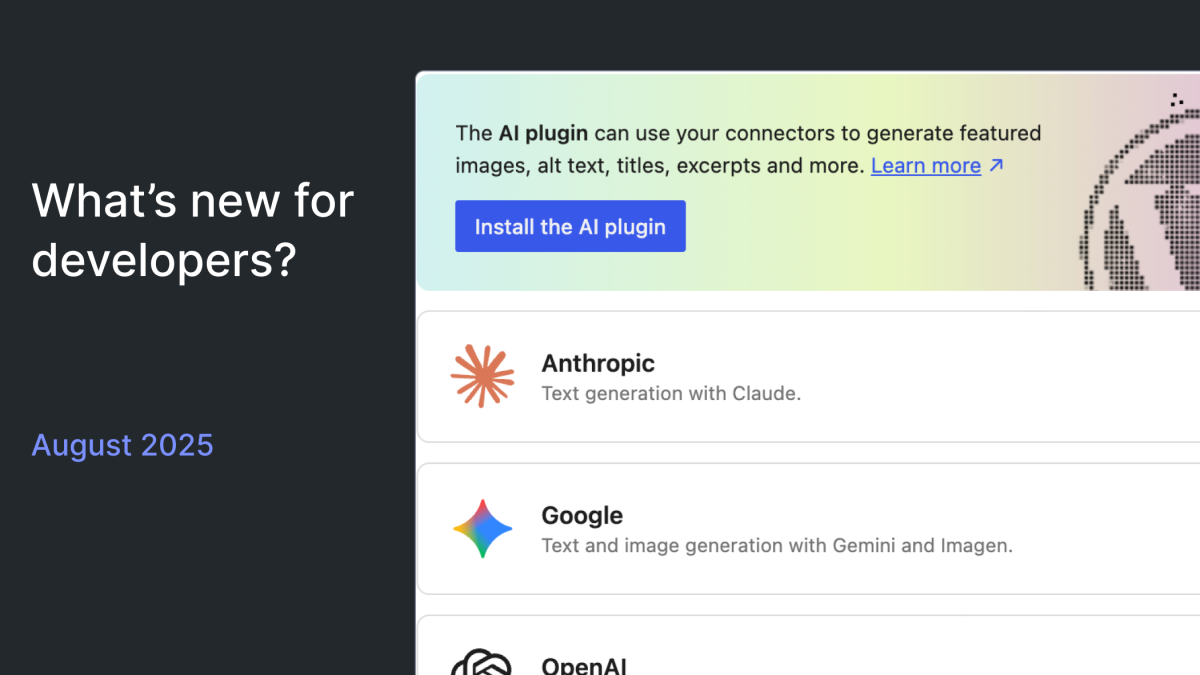
Two major systems debut in WordPress 7.0: the WP AI Client and Connectors API. The WP AI Client provides a standardized interface for integrating AI services, eliminating the need for individual plugins to build custom integrations for providers like OpenAI or Google. Site owners can switch providers seamlessly by configuring settings in the new Connectors screen within the admin area.

Three official provider plugins—OpenAI, Google, and Anthropic—are available for immediate use, with community-built options for OpenRouter, Ollama, and Mistral also now in the Plugin Directory. Developers looking to create their own provider plugins should consult the Connectors API Dev Note.
Client-Side Abilities API
The Abilities API, first introduced in WordPress 6.9, now has a JavaScript counterpart. The packages @wordpress/abilities and @wordpress/core-abilities handle state management and server-registered abilities, respectively. This API lays the foundation for browser agents and WebMCP integration, allowing developers to register abilities with schemas, permissions, and annotations. For full details, visit the Client-Side Abilities API Dev Note.
Gutenberg Updates
The latest Gutenberg releases—versions 22.7, 22.8, and 22.9—bring several new features, including:
- Style variation transform previews, enabling users to see live previews of block style variations before applying them.
- WaveformPlayer visualization for audio playlists using the
@arraypress/waveform-playerlibrary. - Viewport-based block visibility controls, allowing blocks to be conditionally displayed based on screen size.
- Background gradient support for images and looping YouTube videos in the Cover block.
These updates enhance both the design and functionality of WordPress sites, ensuring greater flexibility and user experience.
What This Means for WordPress Users
For developers, the WordPress 7.0 delay is a reminder of the complexity involved in delivering features that scale to millions of sites. If your plugins rely on classic meta boxes, migrating to modern APIs should be a priority. The RTC system introduces opportunities to innovate collaborative workflows, but also demands adaptation to its new architecture.
Site owners should prepare for PHP compatibility changes—upgrading to PHP 7.4 or higher is essential to avoid disruptions. The AI Client and Connectors API simplify AI integrations, making WordPress a leader in leveraging AI for content creation and site management.
Finally, the Gutenberg updates signal WordPress’s ongoing commitment to enhancing design capabilities, making it an increasingly competitive choice for businesses and creators.
Frequently Asked Questions
Why was WordPress 7.0 sent back to beta?
Real-Time Collaboration (RTC) faced performance issues related to its database implementation, requiring a deeper architectural fix before release.
What is the new PHP version requirement for WordPress 7.0?
WordPress 7.0 drops support for PHP 7.2 and 7.3, setting PHP 7.4 as the new minimum. PHP 8.2+ is recommended.
How does the WP AI Client simplify AI integrations?
The WP AI Client provides a standardized interface for AI services, allowing developers to switch providers via admin settings without rewriting integrations.