Professional theme development in WordPress has always straddled the line between design and code. With the rise of block themes and the Site Editor, WordPress has opened its doors to a new wave of creators who prefer visual design over traditional coding. However, a key challenge remains: how do we capture Site Editor changes stored in the database and integrate them into a version-controlled workflow? A groundbreaking combination of tools—WordPress Playground, the Create Block Theme plugin, and GitHub—now offers a streamlined, browser-based solution.
Key Takeaways
- WordPress Playground enables a full WordPress instance to run entirely in the browser via WebAssembly.
- The Create Block Theme plugin allows database-stored Site Editor changes to be written directly into theme files.
- GitHub integration in Playground facilitates professional version control and collaboration.
- This workflow bridges the gap between visual design and code-based development for block themes.
- Use cases include designer-to-developer handoffs, rapid prototyping, and open-source contributions.
The Core Challenge of Site Editor Changes
WordPress block editor styling operates across four levels: defaults set by WordPress itself, block-level customizations, theme-level overrides, and user-level changes stored in the database via the Site Editor. When designers modify templates visually, these changes reside in the database, categorized as user-level styling. While convenient for one-off edits, this creates a roadblock for developers aiming to version-control or reuse those changes across different projects.
Without a mechanism to transfer these database-stored changes into the theme’s file system, any customization risks being overwritten during updates or lost in migration. This has long been a pain point for teams seeking to balance visual design and collaborative development workflows.
A Closer Look at the Tools
To address this issue, three key tools come together:
- WordPress Playground: A WebAssembly-powered browser environment that runs a full WordPress instance without installation or server setup. It acts as a disposable testing ground for rapid iteration.
- Create Block Theme (CBT) Plugin: This plugin writes database-stored changes directly into the theme files, updating critical elements like
theme.jsonand HTML templates. - GitHub: The industry-standard platform for version control. Playground connects directly to GitHub repositories, enabling designers to submit pull requests without leaving the browser.
Setting Up the Workbench
To begin, you launch a pre-configured instance of WordPress Playground with the necessary plugins installed. Simply append the plugin slugs to the Playground URL, such as:
https://playground.wordpress.net/?plugin=gutenberg&plugin=create-block-themeOnce loaded, set the storage type to “Browser” in the Playground settings. This ensures your modifications persist during the session.
Importing the Theme from GitHub
To work on an existing theme, you can import it directly from GitHub. This involves:
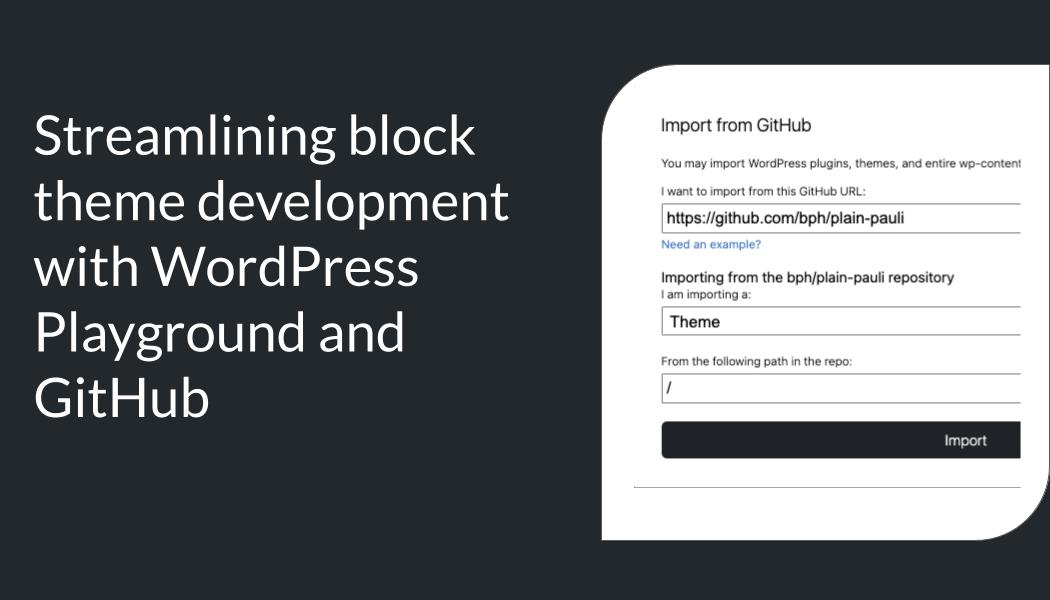
- Opening the Playground menu and selecting Import from GitHub.
- Authenticating the GitHub connection and providing the repository URL.
- Specifying that the import is for a theme and identifying the correct directory (typically the root).
Playground downloads the theme files, activates the theme within the browser instance, and reloads the site.
Designing and Syncing Changes
With the theme active, designers can use the Site Editor to make visual modifications. To sync these changes to the theme files:
- Open the CBT sidebar within the editor and select Save Changes to Theme.
- Optionally, use the Localize Images feature to move uploaded media into the theme’s
/assetsfolder.
This step transfers the modifications from the database into Playground’s virtual file system, preparing them for version control.
Submitting a Pull Request via Playground
Once the changes are synced, they can be submitted directly to GitHub:
- Open the Playground menu and select Export to GitHub.
- Enter a descriptive commit message and click Create Pull Request.
- Follow the link provided to review and finalize the PR in GitHub.
What This Means for WordPress Users
This workflow represents a significant step forward for WordPress professionals. For designers, it means they can focus on visual creation without worrying about losing their work or relying on developers to manually translate it into code. Developers benefit from a more seamless integration of design changes into their Git workflows, reducing friction between design and development phases.
Agencies and teams can now prototype faster, iterate collaboratively, and ensure their themes are version-controlled and portable. Moreover, this lowers the barrier to entry for open-source contributions, enabling non-technical users to submit meaningful changes to block themes.
Frequently Asked Questions
What is WordPress Playground?
WordPress Playground is a browser-based environment that runs a full WordPress instance using WebAssembly. It requires no installation or server setup.
How does Create Block Theme plugin work?
The CBT plugin writes Site Editor changes stored in the WordPress database directly into the theme’s file system, syncing modifications to theme.json and HTML templates.
Can this workflow be used for custom plugins?
No, this workflow is specifically designed for block themes and their styling changes. Plugins are handled differently in WordPress development.
Does Playground require an internet connection?
Yes, WordPress Playground relies on browser-based WebAssembly and GitHub integration, both of which require internet access.