Few tasks in WordPress are as fraught with pitfalls as moving a site between hosts. From upload limits to broken URLs, corrupted serialized data, and missing media files, the process can quickly turn into a nightmare. Enter All-in-One WP Migration, a plugin positioned as a solution to sidestep these common issues. This review dives into its premium extension, assessing whether it truly delivers on its promise of seamless migrations.
Site migrations are a frequent challenge for agencies, developers, and hosting professionals. Whether migrating client sites to new servers, staging environments, or managed hosting platforms, the risks involved can lead to hours of troubleshooting or even downtime. The premium version of All-in-One WP Migration aims to streamline this process, providing tools to bypass upload limits and preserve critical data integrity during transfers.
Key Features of All-in-One WP Migration Pro
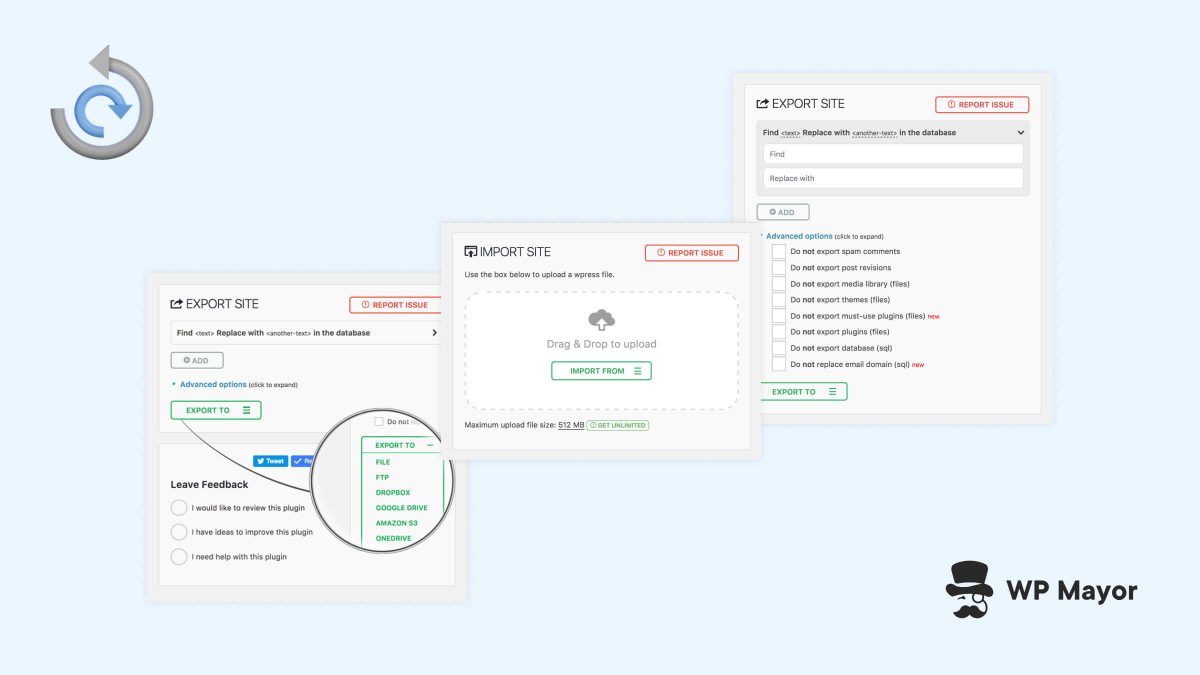
The premium extension of All-in-One WP Migration builds on the free version’s core functionality, offering enhanced capabilities tailored for professionals. It supports larger file sizes, bypasses common upload restrictions, and ensures serialized data integrity—critical for maintaining WordPress databases. The plugin also promises compatibility with various hosting configurations, including managed services.

One standout feature is its ability to handle URL rewriting during migrations. Broken URLs are a common issue post-transfer, often requiring manual intervention to fix links in content, menus, and widgets. All-in-One WP Migration Pro automates this process, reducing error-prone manual steps. Additionally, the plugin ensures that media files remain intact, addressing another frequent pain point during migrations.
Why It Matters for Agencies and Developers
For agencies managing dozens or hundreds of client sites, efficiency is paramount. A reliable migration tool can save hours per project and minimize the risk of downtime. Developers working in staging environments also benefit from smoother transitions between local and live servers. The premium extension of All-in-One WP Migration specifically targets these use cases, aiming to make migrations hassle-free.

However, it’s worth considering whether the premium cost aligns with your operational needs. While the free version of the plugin handles basic migrations, the paid extension is designed for high-volume or complex site transfers. Professionals who frequently run into upload limits or need serialized data accuracy will find the premium features indispensable.
What To Do
- Agencies: Evaluate the premium extension for high-frequency migrations or complex client projects. Consider testing its serialized data handling and URL rewriting features.
- Developers: Use the plugin for staging-to-live migrations to reduce the risk of broken URLs and missing media.
- Site Operators: If planning a host change, assess whether the premium features justify the cost for a one-time migration.